All comparisons

Azure DevOps Boards vs GitHub Projects

Azure DevOps Boards suits engineering teams that want configurable work tracking connected to repositories, pipelines, testing, and Microsoft identity. GitHub Projects suits development teams that want flexible planning views directly over repository issues and pull requests.

Azure DevOps Boards

Best for engineering teams planning inside the Microsoft development ecosystem

  • Advantage: Can order backlogs at several hierarchy levels and move planned work into team iterations.
  • Advantage: Can plan sprints, compare team availability, and report on progress and expected completion.
  • Advantage: Can use connected code hosting, build, testing, and package tools within Azure DevOps.
  • Limitation: Can automate work through several tools, but these need separate setup and may have separate licence costs.
  • Limitation: Can query across projects and combine team plans; an individual board remains scoped to its team.

GitHub Projects

Best for development teams planning around GitHub issues and pull requests

  • Advantage: Can plan directly with native GitHub issues and pull requests, including linked pull-request state and reviewers.
  • Advantage: Can combine work from several repositories in one organisation project.
  • Advantage: Can add text, number, date, choice, and iteration fields, and share task fields across projects and repositories.
  • Limitation: Can control repository access and automate events, but these controls do not set rules for project status changes.
  • Limitation: Can track repeating work periods and charts, but lacks a dedicated sprint backlog and full sprint reports.

Feature comparison

✓ Supported · — Partially supported · × Not available.

Feature Azure DevOps Boards GitHub Projects
Pricing
Starting paid price Compare the entry paid plan, billing unit, and payment commitment.
$6/user/month for Basic users beyond the first five. Azure Boards is included.
Projects is included in Free. GitHub Team starts at $4/user/month; introductory pricing terms apply.
Free plan Compare what teams can use before moving to a paid plan.
The first five Basic users are free with full Azure Boards access; Stakeholder access is also free with reduced capabilities.
GitHub Free includes Projects and unlimited collaborators on public and private repositories.
Work structure and knowledge
Projects, tasks, and subtasks Organise work from individual tasks through projects and larger initiatives.
Supported
Supported
Custom fields Track information that is specific to the team’s work.
Supported
Supported
Custom work types Model different kinds of work with their own structure and fields.
Supported
Supported
Documents and knowledge Keep project documentation and long-form knowledge connected to tasks.
Limited Can maintain Markdown project wikis in Azure DevOps; the wiki is a separate surface alongside Azure Boards.
Limited Can keep Markdown documentation in repositories and issue descriptions; Projects itself is a planning layer rather than a document workspace.
Whiteboards Connect visual brainstorming to project work.
Limited Can create, edit, and sync Azure Boards work items on Miro boards; requires the connected Miro Business or Enterprise product.
Not available
Views and everyday work
Board and list layouts Switch between a board and a list of the same work.
Limited Can manage work in boards, backlogs, and query lists; these are separate planning surfaces.
Supported
Grouping by field Organise views by status, owner, or another work-item field.
Limited Can configure board columns, swimlanes, and team scope; grouping follows board and process settings rather than arbitrary fields in every view.
Supported
Cross-project views View work from several projects or teams together.
Limited Can query across projects and combine team plans; an individual board remains scoped to its team.
Supported
Advanced filters Build precise views from several conditions.
Supported
Supported
Saved and shared views Save board or list settings and share them with other people.
Supported
Supported
Keyboard navigation and commands Navigate and act without reaching for the mouse.
Supported
Supported
Bulk editing Update several selected work items together.
Supported
Supported
Planning and reporting
Planning across teams Connect current delivery work with broader projects, initiatives, and plans.
Supported
Supported
Progress reporting Understand delivery progress and performance through reports.
Supported
Supported
Task dependencies Track blocking relationships between tasks and projects.
Supported
Supported
Workload and capacity Compare assigned work with team availability and capacity.
Supported
Limited Can use assignees, estimates, iterations, and grouped views to inspect allocation; capacity planning needs custom fields and reporting.
Goals and objectives Connect tasks and project progress to organisational goals.
Limited Can represent larger outcomes through epics, features, custom hierarchy, and fields; objective tracking follows the configured process model.
Limited Can model outcomes through issues, milestones, and project fields; objective tracking is configured around repository and project data.
Time tracking Record time spent on work and review it in reports.
Limited Can record original estimates, remaining work, and completed work; timesheets and live timers require an additional solution.
Limited Can store numeric time values in custom fields; a live timer and timesheets need an integration or custom implementation.
Sprint planning Plan repeating delivery periods with a backlog and sprint scope.
Supported
Supported
Sprint reporting Review burndown, velocity, and delivery trends with dedicated reports.
Supported
Limited Can track repeating work periods and charts, but lacks a dedicated sprint backlog and full sprint reports. Inherited from jira-vs-github-projects, Automatic actions and progress reports: Sprint progress reports. Sources were attributed at page level in the original comparison; claim-specific attribution needs review.
Timeline and Gantt views Plan work against dates and see schedules and dependencies in a timeline or Gantt view.
Limited Can show multiple team backlogs, milestones, and dependencies on Delivery Plans timelines; the view is built around iterations and backlog items.
Limited Can show dates and iterations on a project roadmap; this is a roadmap view rather than a full dependency-aware Gantt scheduler.
Backlog management Maintain an ordered backlog and select work for upcoming delivery periods.
Supported
Limited Can order project items and assign iterations; there is no separate dedicated sprint-backlog surface.
Workflow and intake
Automatic actions React to changes and automate multi-step processes.
Limited Can automate work through several tools, but these need separate setup and may have separate licence costs. Inherited from jira-vs-azure-devops, Workflow and automation: General automation. Sources were attributed at page level in the original comparison; claim-specific attribution needs review.
Limited Can build custom automation with GitHub Actions and APIs, but specialised behaviour usually needs code. Inherited from jira-vs-github-projects, Automatic actions and progress reports: Custom automation. Sources were attributed at page level in the original comparison; claim-specific attribution needs review.
Rules for changing status Enforce allowed status transitions and require information before work can move to another stage.
Supported
Limited Can control repository access and automate events, but these controls do not set rules for project status changes. Inherited from jira-vs-github-projects, Process rules and access: Rules for changing status. Sources were attributed at page level in the original comparison; claim-specific attribution needs review.
Request forms Collect structured requests that create work items.
Limited Can capture structured work through authenticated work-item forms; a public intake form requires a connected implementation.
Limited Can collect structured repository issues through YAML issue forms; requesters need GitHub access and project routing needs configuration.
Custom statuses Define the stages that match each team’s process.
Supported
Limited Can set statuses and automate updates, but cannot define which status moves are allowed. Inherited from jira-vs-github-projects, Process rules and access: Steps from start to finish. Sources were attributed at page level in the original comparison; claim-specific attribution needs review.
Approval steps Require approval from designated people before work can proceed.
Limited Can configure identity-based transition restrictions and required fields as approval gates; the team must configure the inherited process.
Limited Can require pull-request reviews for code changes; this does not create enforced approval steps for arbitrary project tasks.
Access and administration
Project roles and permissions Control who can view, edit, and administer project work.
Supported
Supported
Individual work-item access Restrict an individual work item within an otherwise shared project.
Limited Can restrict access by project and area path; individual exceptions require an appropriately restricted area rather than an item-specific security scheme.
Limited Can show tasks only to people who can access their underlying repository or item. Inherited from jira-vs-github-projects, Process rules and access: Private tasks in shared projects. Sources were attributed at page level in the original comparison; claim-specific attribution needs review.
Shared configuration Reuse managed fields and process settings across teams.
Supported
Limited Can share organisation issue types and reuse repository templates; project fields and view setup still require project-level management.
Integrations
Development integrations Connect planning with branches, pull requests, builds, and deployments.
Supported
Supported
Jira integration Connect work and updates with Jira projects.
Limited Can send Azure DevOps branches, commits, pull requests, builds, and deployments to Jira through the official app; full Azure Boards work-item synchronisation needs a separate connector.
Limited Can connect GitHub development activity to Jira through GitHub for Atlassian; this does not provide full synchronisation of GitHub Projects planning data.
API and webhooks Read and update work programmatically and receive events when it changes.
Supported
Supported

Azure DevOps Boards

Best for engineering teams planning inside the Microsoft development ecosystem

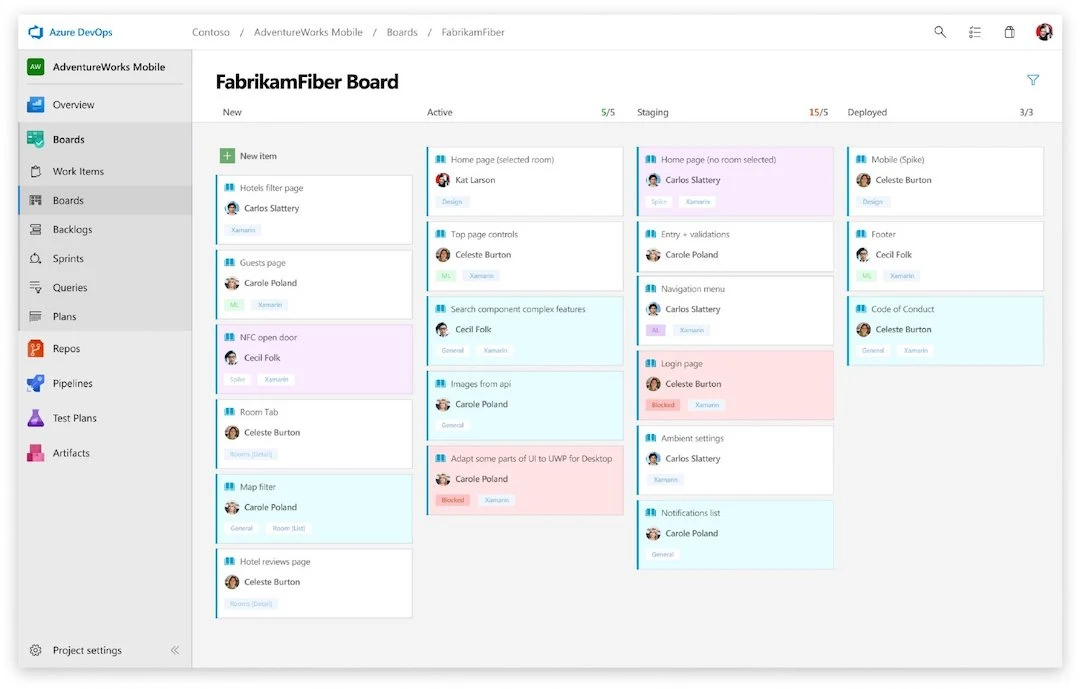
Azure DevOps board with repositories, pipelines, test plans, and artifacts in the project navigation
Azure Boards sits inside the wider Azure DevOps engineering suite, alongside repositories, pipelines, tests, and artifacts.

Hierarchical engineering backlogs

Can break large initiatives into features, requirements, tasks, and custom levels.

Sprint planning and capacity

Can plan sprints, compare team availability, and report on progress and expected completion.

Cross-team Delivery Plans

Can show work from several teams on one timeline, including milestones and dependencies.

Connected development services

Can use connected code hosting, build, testing, and package tools within Azure DevOps.

GitHub Projects

Best for development teams planning around GitHub issues and pull requests

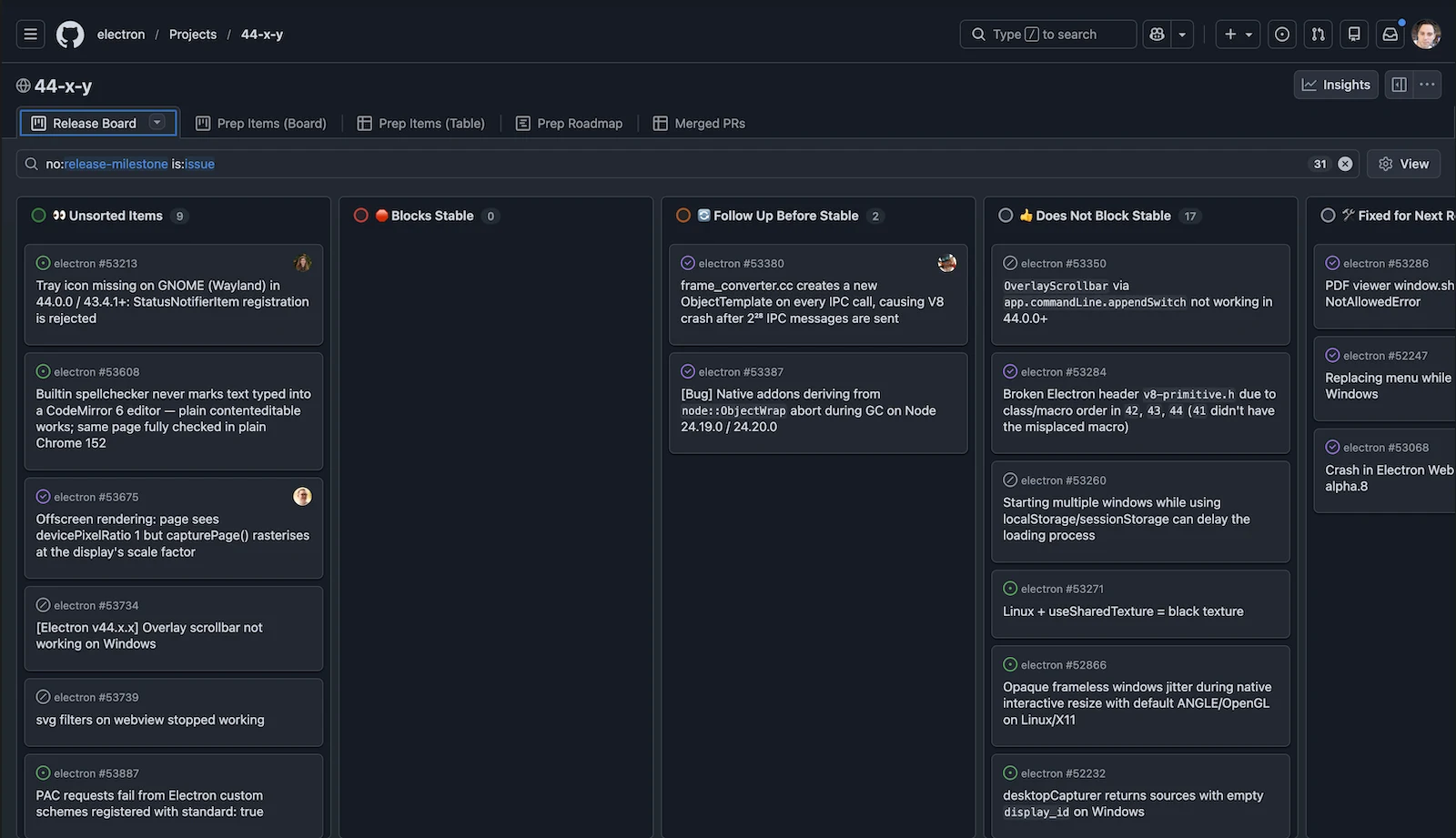
GitHub Projects release board organising repository issues across workflow columns
GitHub Projects organises live repository issues and pull requests in planning views close to the code.

Native issues and pull requests

Can combine GitHub tasks, code reviews, and draft tasks from one or several code repositories.

Multi-repository planning

Can combine work from several repositories in one organisation project.

Project views and custom fields

Can add text, number, date, choice, and iteration fields, and share task fields across projects and repositories.

Nested sub-issues and blockers

Can break tasks into nested subtasks, show parent progress, and mark blocking tasks.

Key differences

Capability
Azure DevOps Boards
GitHub Projects

Work structure and customisation

Compare how each product models projects, tasks, work types, and team-specific information.

Can configure board columns, swimlanes, and team scope; grouping follows board and process settings rather than arbitrary fields in every view. Can build work-item queries from field conditions and search across projects.

Can save table, board, and roadmap views with filters, sorting, and grouping.

Workflow configuration

Consider whether the team needs a consistent status model or rules that govern how work moves between stages.

Can limit status changes by person or group and require fields before an approval step. Can configure identity-based transition restrictions and required fields as approval gates; the team must configure the inherited process.

Can control repository access and automate events, but these controls do not set rules for project status changes. Can require pull-request reviews for code changes; this does not create enforced approval steps for arbitrary project tasks.

Access and extensibility

Review the permission model and the options for connecting or extending each product programmatically.

Can restrict access by project and area path; individual exceptions require an appropriately restricted area rather than an item-specific security scheme. Can control access by user group, project, and area of work.

Can show tasks only to people who can access their underlying repository or item. Can give people, teams, and outside collaborators different levels of project access.

Planning and portfolio scope

Consider how near-term execution connects to timelines, initiatives, dependencies, and broader organisational plans.

Can plan sprints, compare team availability, and report on progress and expected completion. Can show work from several teams on one timeline, including milestones and dependencies.

Can use assignees, estimates, iterations, and grouped views to inspect allocation; capacity planning needs custom fields and reporting. Can show work on a roadmap using dates and iterations, with grouping and milestones.


Sources and verification

Documentation reviewed 2026-09-11 / 2026-09-16 / 2026-09-17. Based on product documentation and pricing sources.