All board comparisons

BetterBoard vs Jira

BetterBoard suits Jira teams that need field-driven columns and swimlanes, cross-space boards, and direct card editing without moving work out of Jira. Jira boards suit teams that want status-based delivery boards, JQL-powered cross-space views, and configurable cards within their existing Jira workflow.

BetterBoard

Best for flexible, field-driven boards inside Jira

  • Advantage: Columns and swimlanes can use Jira fields such as status, assignee, priority, sprint, and supported custom fields.
  • Advantage: Supported Jira fields can be edited directly on cards and saved immediately to Jira.
  • Advantage: A single board can combine work from multiple Jira spaces and different Jira products.
  • Limitation: Requires Jira Cloud and follows its site user tier
  • Limitation: Timelines, reports, automation, and APIs remain Jira capabilities

Jira

Best for status-based delivery boards in Jira

  • Advantage: Board scope, quick filters, rows, and card colours can use JQL queries.
  • Advantage: Company-managed boards group columns by status and can add swimlanes by query, story, assignee, epic, or space.
  • Advantage: Boards can show supported standard and custom fields on cards.
  • Limitation: Board columns remain based on workflow status
  • Limitation: Broader inline changes use the work item or bulk-change flow

Feature comparison

✓ Supported · — Partially supported · × Not available.

Feature BetterBoard Jira
Pricing
Starting paid price Compare the entry paid plan, billing unit, and payment commitment.
Free up to 10 Jira users; $0.45/Jira user/month from 11 users
$7.91/user/month in the current Standard monthly example
Free plan Compare what teams can use before moving to a paid plan.
BetterBoard is free for Jira Cloud sites with up to 10 users and includes every BetterBoard feature. Larger sites receive a 30-day trial before paid Marketplace billing.
The Free plan covers up to 10 users with 2 GB storage, community support, and lower automation limits. Permissions, external collaboration, and other controls require a paid plan.
Layout and structure
Board and list layouts Switch between a board and a list of the same work.
Limited Configurable board views; no separate list layout
Limited Separate board and list views with controls that vary by space type
Columns and rows by field Choose which information organises columns and rows.
Supported
Limited Status-based columns with configurable swimlanes
Cross-team boards Bring work owned by several teams or projects into one board.
Supported
Supported
Several values in one column Combine several field values within a single board column.
Supported
Supported
Cards and fields
Custom fields Track information that is specific to the team’s work.
Supported
Supported
Choose fields on cards Choose which information appears directly on each card.
Supported
Supported
Edit fields on cards Change work-item fields without opening a separate detail view.
Supported
Limited Common card actions; broader edits open the work item or bulk-change flow
Time in status See how long work has remained in its current state.
Supported
Limited Visual days-in-column indicator rather than a precise card field
Views and filtering
Advanced filters Build precise views from several conditions.
Supported
Supported
Saved and shared views Save board or list settings and share them with other people.
Supported
Supported
Rules for card colours Use work data to reveal risk, ownership, or urgency at a glance.
Supported
Supported
Board interaction
Keyboard navigation and commands Navigate and act without reaching for the mouse.
Supported
Limited Shortcuts for navigation and common actions
Bulk editing from the board Update several selected cards together.
Supported
Supported
Drag cards to update work Move cards between columns or rows and update their underlying data.
Supported
Supported
Integrations
Development integrations Connect planning with branches, pull requests, builds, and deployments.
Supported
Supported
Jira integration Connect work and updates with Jira projects.
Supported
Supported

BetterBoard

Best for Jira teams that need field-driven columns and swimlanes, cross-space boards, and direct card editing without moving work out of Jira

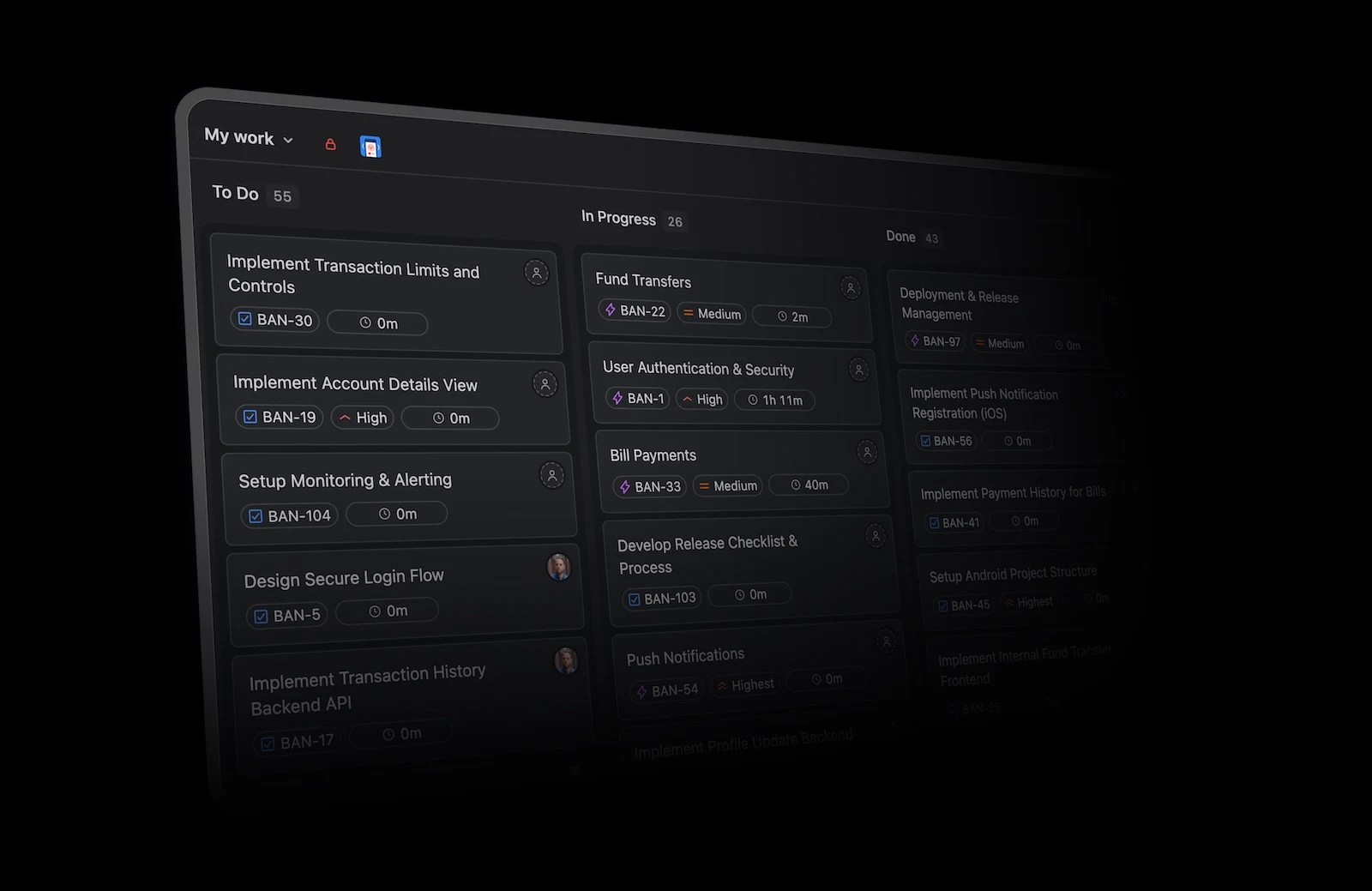
BetterBoard showing Jira work across configurable columns
BetterBoard turns Jira work into configurable private and shared boards across spaces.

Field-driven columns and swimlanes

Columns and swimlanes can use Jira fields such as status, assignee, priority, sprint, and supported custom fields.

Inline card editing

Supported Jira fields can be edited directly on cards and saved immediately to Jira.

Cross-space boards

A single board can combine work from multiple Jira spaces and different Jira products.

Time in status on cards

Time in status can appear on cards and be used in board filters.

Jira

Best for Jira boards suit teams that want status-based delivery boards, JQL-powered cross-space views, and configurable cards within their existing Jira workflow

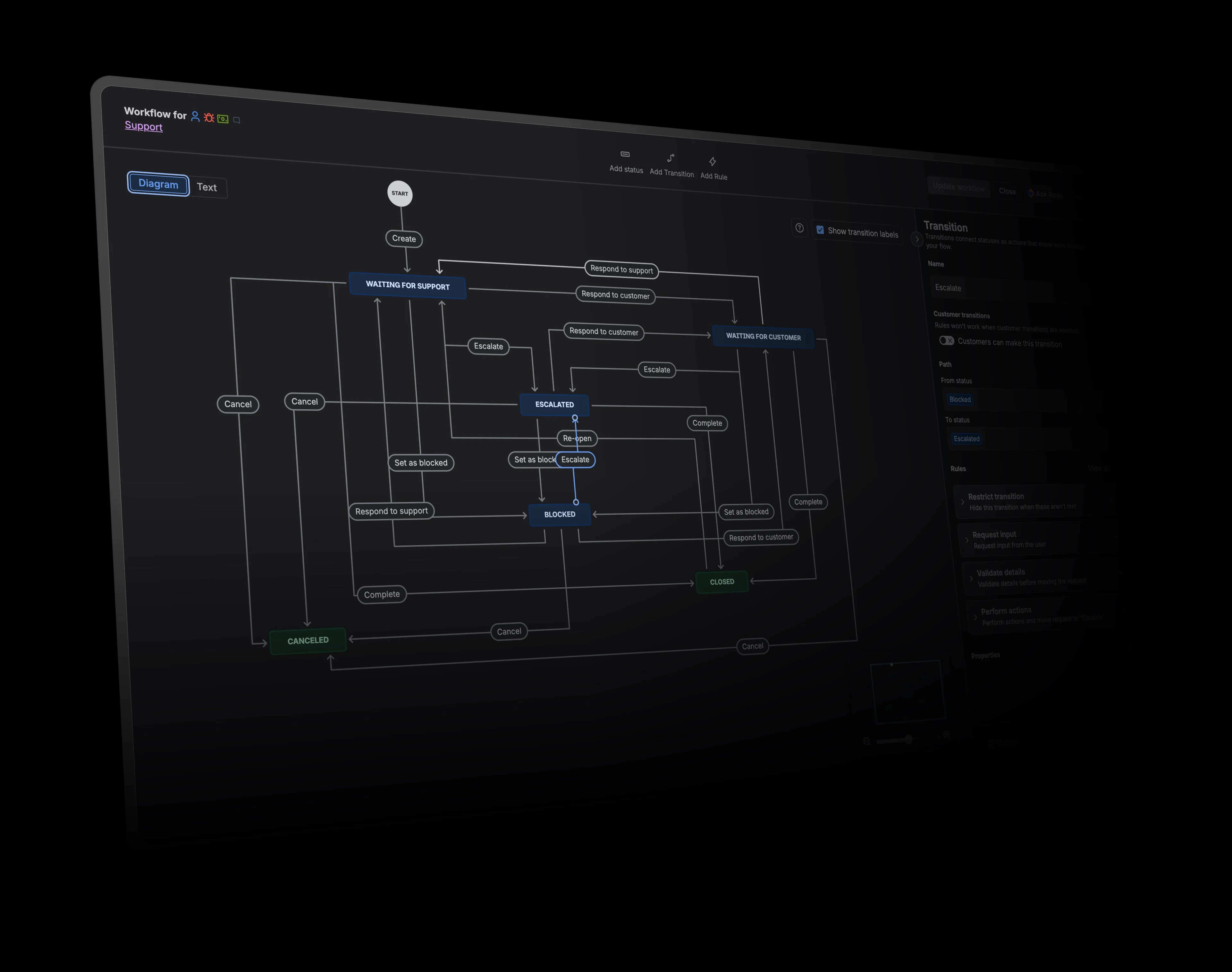
Jira workflow editor showing statuses and transitions
Jira workflows can model detailed statuses, transitions, permissions, validation, and follow-up actions.

JQL-powered board filters

Board scope, quick filters, rows, and card colours can use JQL queries.

Status columns and swimlanes

Company-managed boards group columns by status and can add swimlanes by query, story, assignee, epic, or space.

Configurable card fields

Boards can show supported standard and custom fields on cards.

Data-driven card colours

Company-managed boards can colour cards by work type, priority, assignee, or JQL query.

Key differences

Capability
BetterBoard
Jira

Board flexibility

Compare how each product shapes columns, swimlanes, fields, and views around the work a team needs to manage.

Columns and swimlanes can use Jira fields such as status, assignee, priority, sprint, and supported custom fields. Available operations depend on the selected field type. Composable filters support more than 25 operators without requiring users to write JQL.

Company-managed boards group columns by status and can add swimlanes by query, story, assignee, epic, or space. They do not turn any arbitrary field into draggable columns. Board scope, quick filters, rows, and card colours can use JQL queries.

Inline and bulk editing

Look at how much everyday work can be updated directly from the board or list without opening a separate workflow.

Supported Jira fields can be edited directly on cards and saved immediately to Jira. Some field types are display- or filter-only. Teams select multiple cards and update supported fields directly through the action bar, command palette, or inline field editor.

Cards support common quick actions and moves, while broader field changes usually open the work item or bulk-change flow. Inline controls vary by board and field. Selected work items can be changed through Jira’s bulk-change workflow.

Filtering and saved views

Compare how teams build precise views and preserve the setup they need for recurring board work.

Each private or shared board saves its own fields, filters, columns, swimlanes, and visual settings. Composable filters support more than 25 operators without requiring users to write JQL.

Teams can create shared boards from saved filters and add reusable quick filters. Board administration and filter permissions apply. Board scope, quick filters, rows, and card colours can use JQL queries.

Card information and visual signals

Compare which fields appear on cards, how teams expose time in status, and whether colour rules can highlight important work.

Time in status can appear on cards and be used in board filters. Composable filters support more than 25 operators without requiring users to write JQL.

Company-managed boards can show visual indicators for how many days a card has remained in a column. The board does not show a precise time-in-status value as a standard card field. Board scope, quick filters, rows, and card colours can use JQL queries.