
Find what shipped
Use Jira filters and smart defaults to gather the completed issues that belong in the update.
Use case
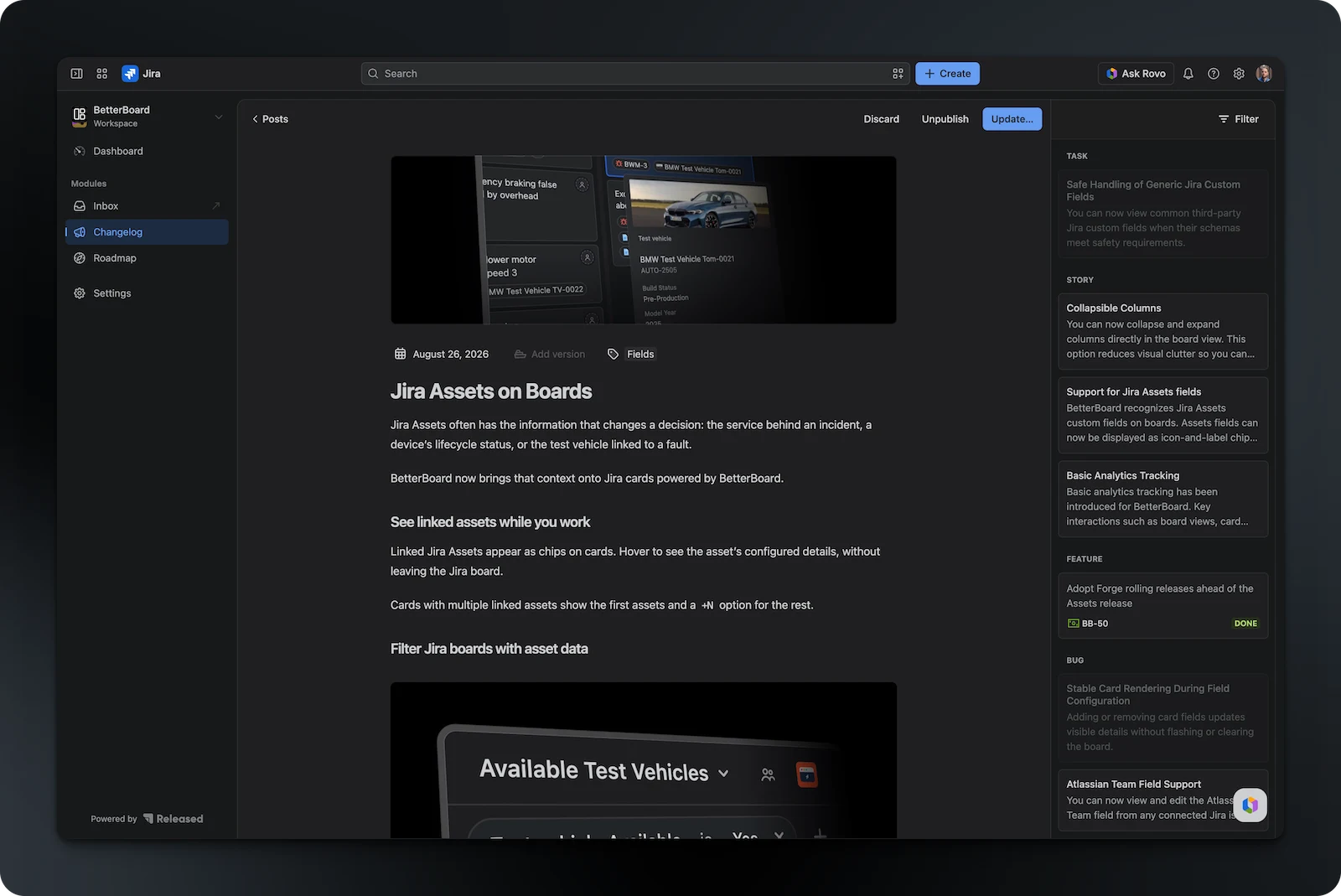
Announce product updates, new features, bug fixes, and more with release notes created directly from Jira. No code required.
Purpose-built for


Trusted by hundreds of product teams










The opportunity
Release notes keep users informed, build confidence in your product, and help people discover the value you have shipped. Released Hub connects every update to the Jira work behind it, so communication does not become another manual project.
How it works
Find shipped work, turn it into a clear story, and publish it wherever your audience follows product news.
Use Jira filters and smart defaults to gather the completed issues that belong in the update.
Use templates and tailored prompts to turn Jira issues into a polished first draft in your voice.
Share the approved update through your Product Hub, website, in-app widget, or email subscriptions.
Built for the audience
Publish once and keep every customer-facing channel aligned with the same approved update.
Deliver product updates inside your app so active users never miss an improvement.
Build a searchable home for every update on a page that matches your brand.
Let customers and stakeholders subscribe and receive new updates in their inbox.
Why it matters
Explain new features, improvements, and fixes in one concise update.
Show evaluators that the product continues to improve.
Help customers discover and use the value you have already shipped.
Give readers a clear view of what changed and what it means for them.
Include instructions, tips, and media that help users get started.
Be transparent about known issues and constraints in each release.
From the product team

Writing release notes was among the action items I would continuously de-prioritize. Hub changed this for me by effortlessly generating release notes straight from Jira tickets.
Turn completed Jira work into release notes your customers will want to read.