
Aha! alternative for Jira teams
Released Hub is the Jira-first alternative to Aha! for teams that plan and deliver in Jira or Jira Product Discovery and need customer-facing feedback, roadmaps, and release notes.
Explore HubOn this page
Released Hub is for teams that already plan and deliver in Jira or Jira Product Discovery and need a customer-facing communication layer. Aha! is stronger when a company needs comprehensive standalone strategy and portfolio planning. Its Jira integration is bi-directional and uses configurable field mappings and update flows. See Aha!’s Jira integration overview.
Comparison
| Feature | Aha! | Released Hub |
|---|---|---|
| Feedback and discovery | ||
| Feedback intake | ✓ | ✓ |
| End-user feedback portal | ✓ | ✓ |
| Feedback inbox and triage | ✓ | ✓ |
| Feedback-to-work-item linking | ✓ | ✓ |
| Show feedback on Jira work items | — | ✓ |
| Idea voting and ranking | ✓ | ✓ |
| Roadmaps and communication | ||
| Timeline view | ✓ | ✓ |
| Now–next–later view | — | ✓ |
| Audience-specific roadmaps | ✓ | ✓ |
| Public roadmap sharing | ✓ | ✓ |
| Drag-and-drop roadmap editing | — | ✓ |
| Collaboration and delivery | ||
| Comments and discussions | ✓ | ✓ |
| Private internal notes | ✓ | ✓ |
| Email and Slack notifications | ✓ | ✓ |
| Stakeholder access controls | ✓ | ✓ |
| Jira and administration | ||
| Bi-directional Jira update flow | — | ✓ |
| Configurable Jira mappings | — | ✓ |
| Jira Product Discovery workflow | × | ✓ |
| Release notes from Jira work | × | ✓ |
| Atlassian user management | × | ✓ |
| Strategy and prioritization | ||
| Standalone strategy and portfolio planning | ✓ | × |
| Goals and KPI tracking | ✓ | — |
| Business-model and product-vision mapping | ✓ | — |
| Custom scoring frameworks | ✓ | — |
| RICE and value–effort models | ✓ | — |
Table key: ✓ Supported · — Partially supported · × Not supported.
Who each tool suits
Choose Hub if
- Jira or Jira Product Discovery already owns your plan and delivery data.
- You want to share selected work with customers and stakeholders without recreating it in a separate product system.
- Feedback, roadmaps, and release notes need to stay close to the Jira work that drives them.
Choose Aha! if
- You need a comprehensive standalone system for strategy, portfolio planning, and product operations.
- Your team is prepared to define and maintain the mappings and update flows between Aha! and Jira.
Keep Jira as the source of truth
Hub does not claim to replace every Aha! capability. It gives Jira-first teams a focused way to collect feedback, publish roadmaps, and communicate what shipped while their product plans and delivery work remain in Jira.
Strategy and portfolio planning
Aha! has broad strategy, portfolio-planning, and product-operations capability. The key decision is whether a team needs that standalone operating model or needs to make its existing Jira work easier to communicate.
For organizations that need comprehensive portfolio planning, Aha!’s depth is a strength. Teams should also plan for the governance and configuration that comes with a separate planning system.

For organizations that need comprehensive portfolio planning, Aha!’s depth is a strength. Teams should also plan for the governance and configuration that comes with a separate planning system. Hub stays focused on feedback, roadmaps, and release notes for teams whose planning and delivery already happen in Jira.
Jira integration without a parallel system
Aha! provides a bi-directional Jira integration with configurable mappings and update flows. That allows teams to connect planning and delivery while keeping Aha! as its own product system.
Aha! teams choose which records map to Jira, how updates flow, and how those integration templates are applied across teams.
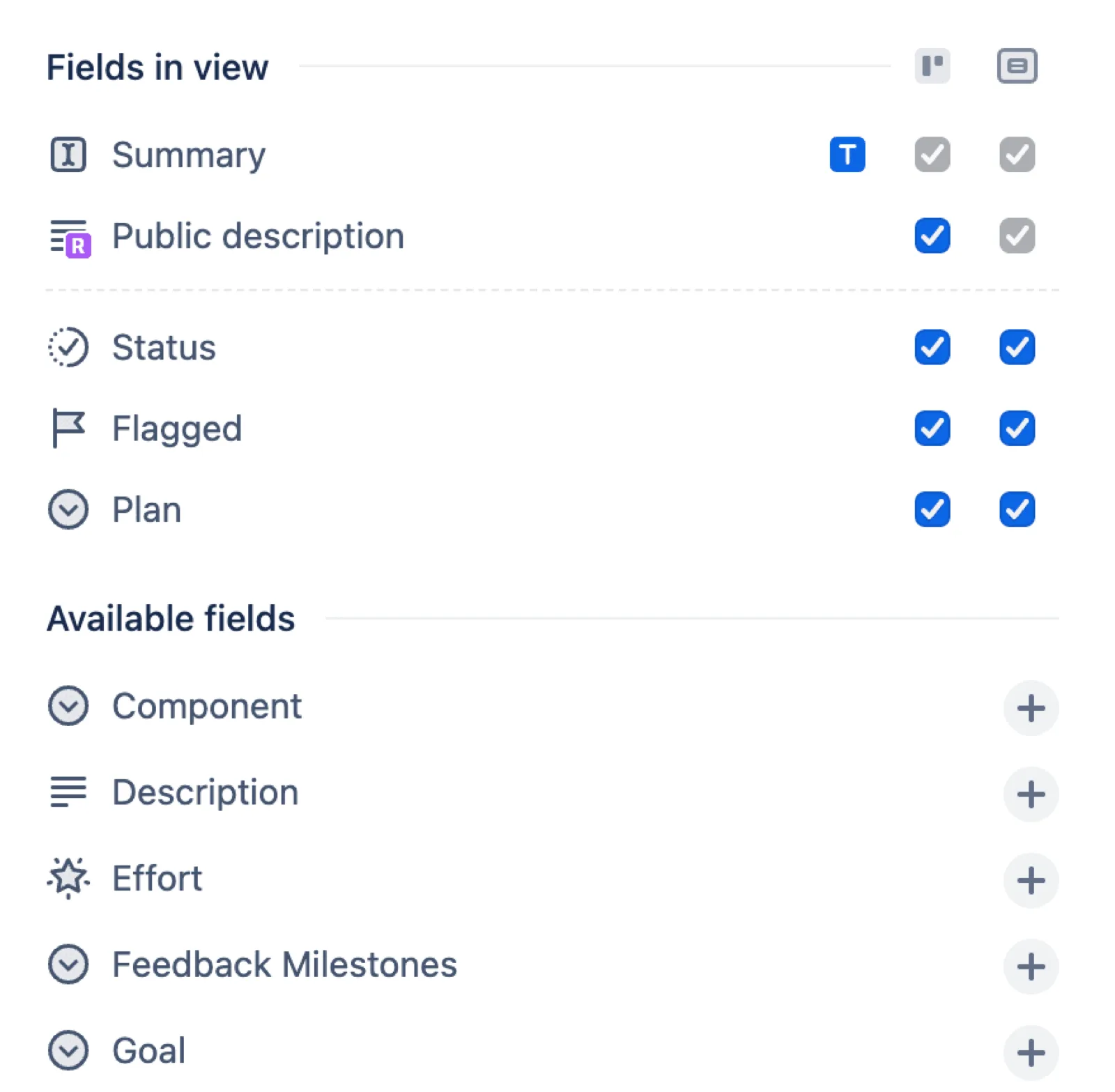
Hub works directly from Jira work items or Jira Product Discovery ideas, so teams can share selected work without recreating it in another planning system.
Feedback with delivery context
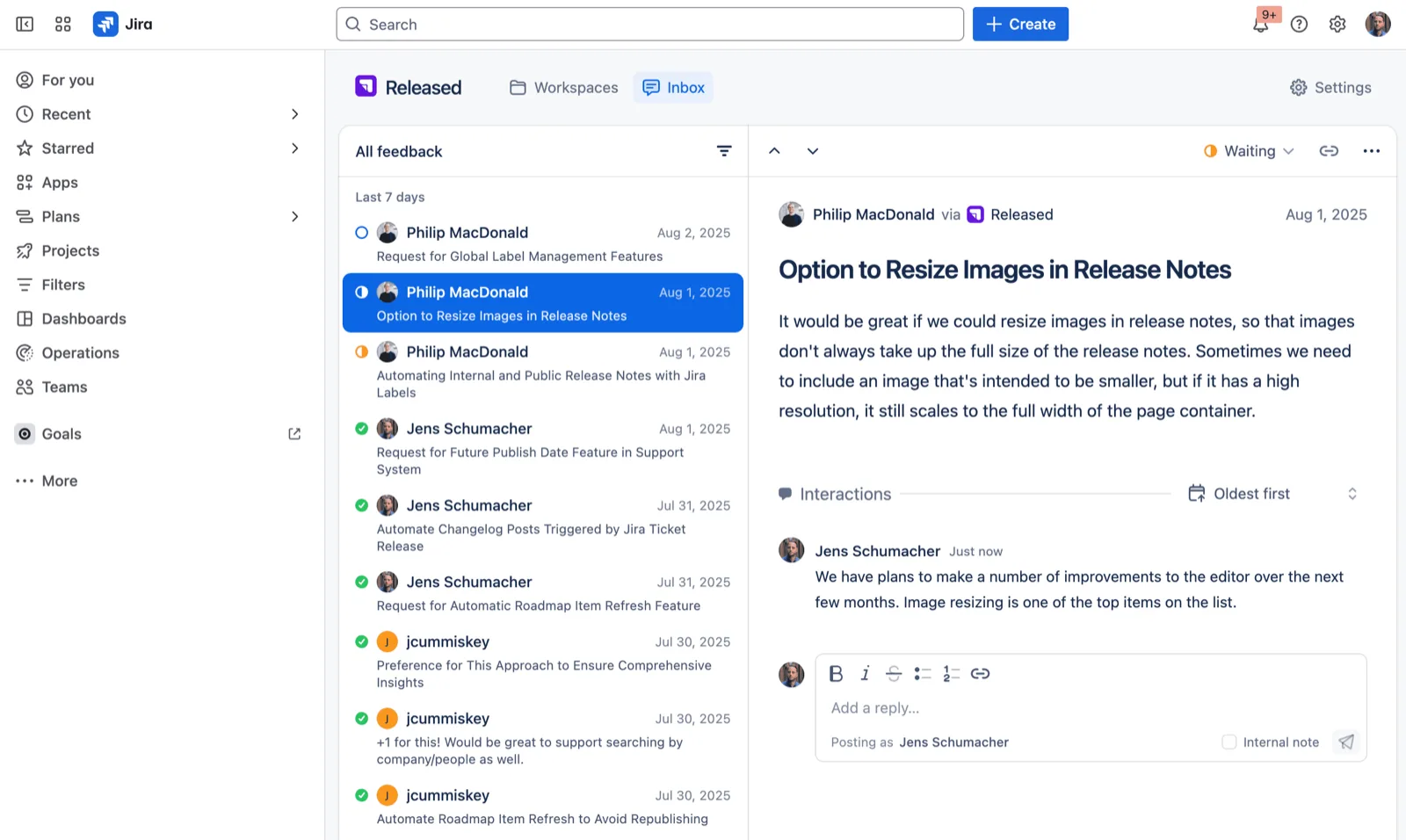
Feedback is easiest to act on when the context is visible to the team making the product decisions and managing the Jira work.
Aha! provides a dedicated workspace for customer ideas, strategic plans, and portfolio management. Hub links feedback to Jira work items and gives teams a customer-facing space for the roadmap and updates that follow.
Roadmaps stakeholders can follow
Customers and stakeholders need a clear communication experience, even when the internal product-planning model is sophisticated.
Aha! is designed for product teams and product operations that need a broad planning workspace. That is a different audience from customers following a public roadmap.
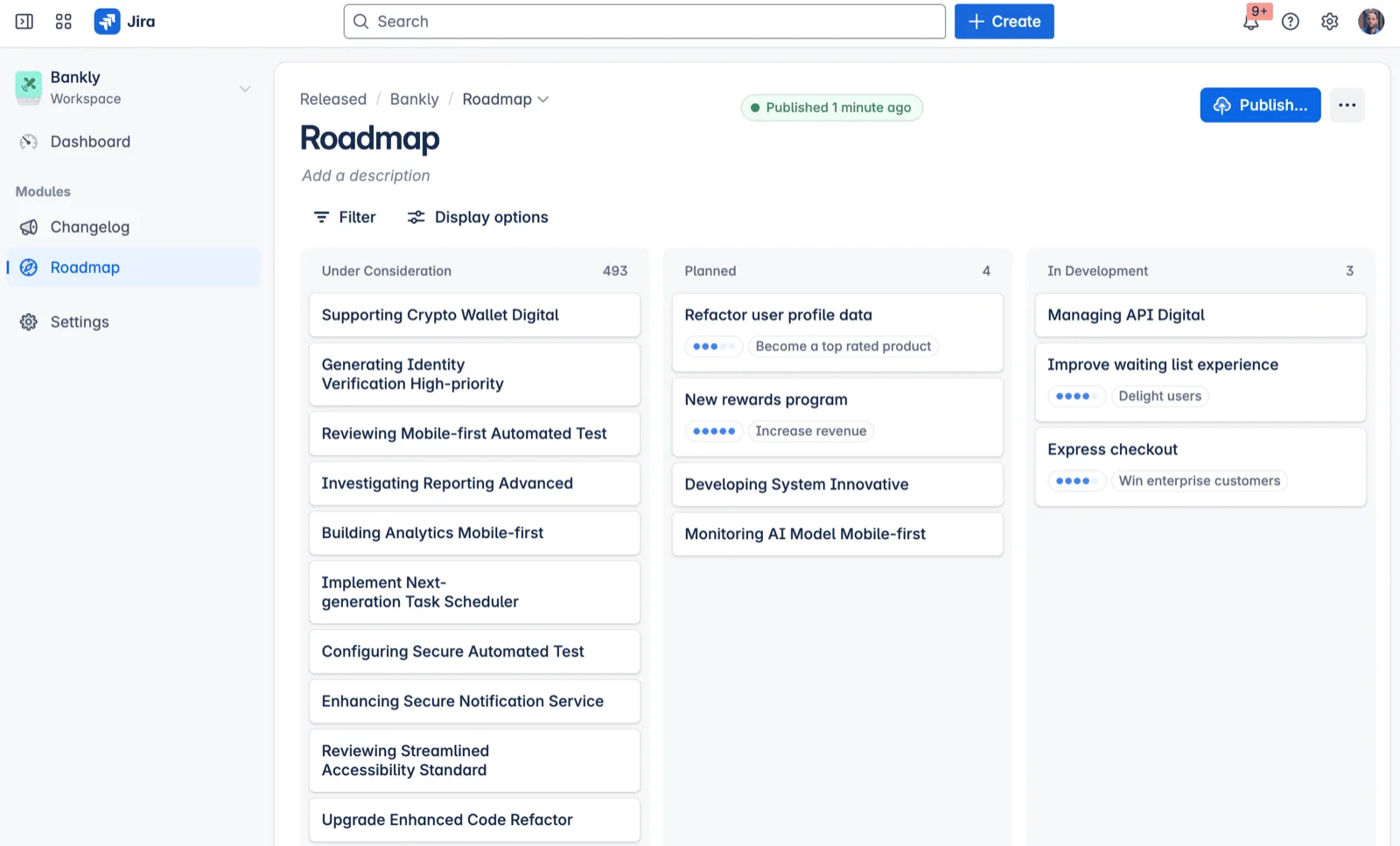
Hub turns selected Jira epics or Product Discovery ideas into a roadmap that teams can tailor to the audience reading it.
Pay for the planning system you need
The relevant question is whether the team needs a comprehensive standalone product-planning suite or a focused communication layer on top of Jira.
Aha! can be the right choice when its complete strategy and portfolio capability is needed. Jira-first teams can avoid duplicating that layer when Jira and JPD already own the plan. Hub intentionally concentrates on customer feedback, roadmap sharing, and release notes connected to Jira work.
Jira Product Discovery and Hub
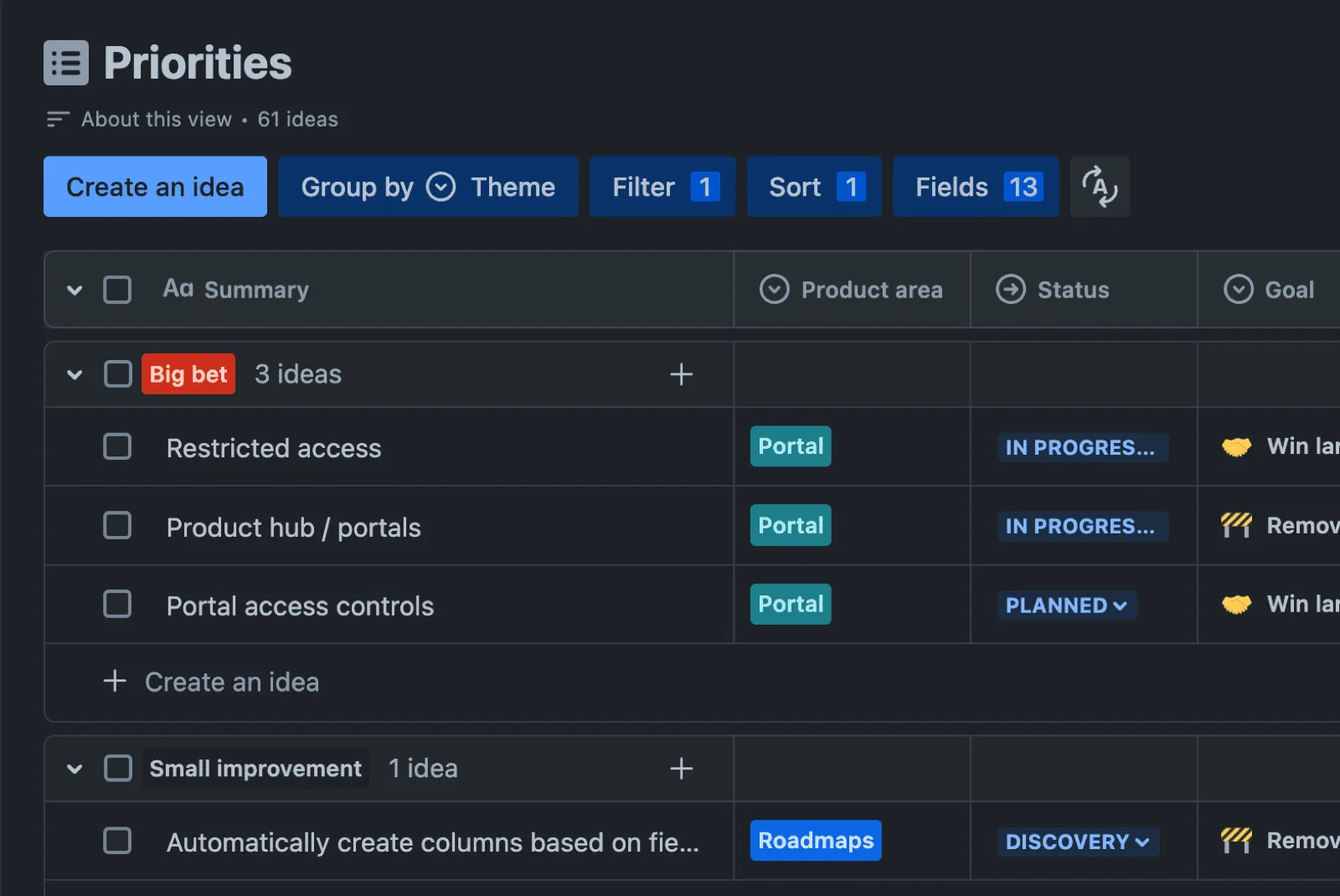
Plan with Jira Product Discovery
Capture ideas, prioritize them against the right criteria, and keep product planning close to Jira delivery.
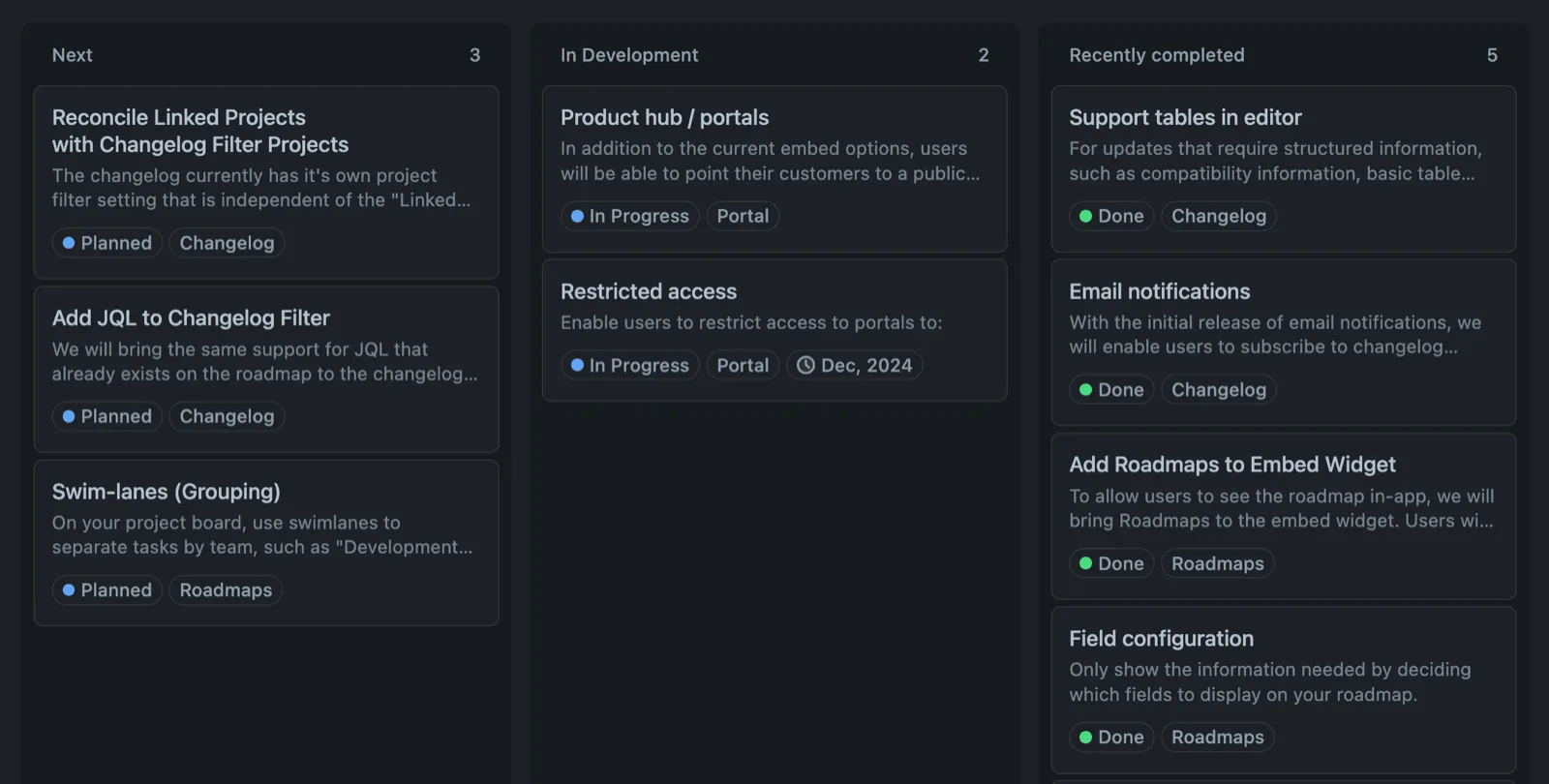
Communicate with Hub
Collect customer feedback, share a curated roadmap, and publish release notes in one customer-facing place.
Sources
Last verified: 25 August 2026.
Loved by product teams
Make product communication easier for everyone.
-
Writing release notes was among the action items I would continuously de-prioritize. Released changed this for me by effortlessly generating release notes straight from Jira tickets.
-
Being able to create something I actually dare put on my website, just out of my existing Jira issues and almost zero effort, is mind-blowing. Great job!
-
We struggled finding a solution that allows us to communicate product updates internally and externally. Released makes it so easy.
Built for Jira teams