
Best automated release notes apps for Jira in 2026
Compare Jira apps that turn shipped work into release notes. See which tools generate drafts, support review, publish customer updates, and keep release communication connected to Jira.
On this page
Jira records what shipped, but issue summaries rarely make useful customer release notes. The apps in this guide turn versions, sprints, and completed work into clearer updates, with different approaches to AI drafting, automation, review, and distribution.
Released Hub is our top choice for teams that want to review and publish customer-facing updates from Jira. Automated Release Notes & Reports for Jira offers deeper rule-based automation and more export formats, Automated Release Notes by Agile Apps focuses on scheduled templates, and AI Release Notes by InLabs provides a lightweight free generator.
Jira release notes apps compared
Scroll horizontally to compare all columns.
| App | Best for | Drafting | Automation | Publishing and export |
|---|---|---|---|---|
 Released Hub Released Hub | Customer-facing release communication from Jira | AI-generated, editable descriptions with reusable templates | Curated workflow rather than unattended publishing | Portal, announcement page, widget, Confluence, and Slack |
 Automated Release Notes & Reports for Jira Automated Release Notes & Reports for Jira | Flexible reporting and multi-format distribution | AI refinement and configurable Jira-field templates | Version, sprint, schedule, manual, and webhook triggers | Email, PDF, HTML, Confluence, Slack, PowerPoint, Word, and more |
 Automated Release Notes by Agile Apps Automated Release Notes by Agile Apps | Scheduled reports and release calendars | ChatGPT descriptions inside a WYSIWYG template builder | Sprint, version, schedule, and manual triggers | Email, Slack, Microsoft Teams, Confluence, and webhooks |
 AI Release Notes by InLabs AI Release Notes by InLabs | A simple free AI generator | AI-generated notes from Jira issues | Primarily a guided generation workflow | Markdown, HTML, and rich text for manual distribution |
How we selected these apps
We reviewed Jira Cloud apps that focus on generating or publishing release notes from Jira work. The comparison considers:
- How the app selects issues, versions, sprints, or JQL results.
- Whether AI creates a customer-ready first draft or only reformats Jira fields.
- How much editorial control the team retains before publication.
- Whether templates and automation can be reused across releases.
- Where the final update can be published or exported.
We excluded archived apps and broader release-management tools whose main job is planning releases rather than writing the communication. We did not rank by Marketplace installs alone.
Released Hub
Best for customer-facing release communication from Jira
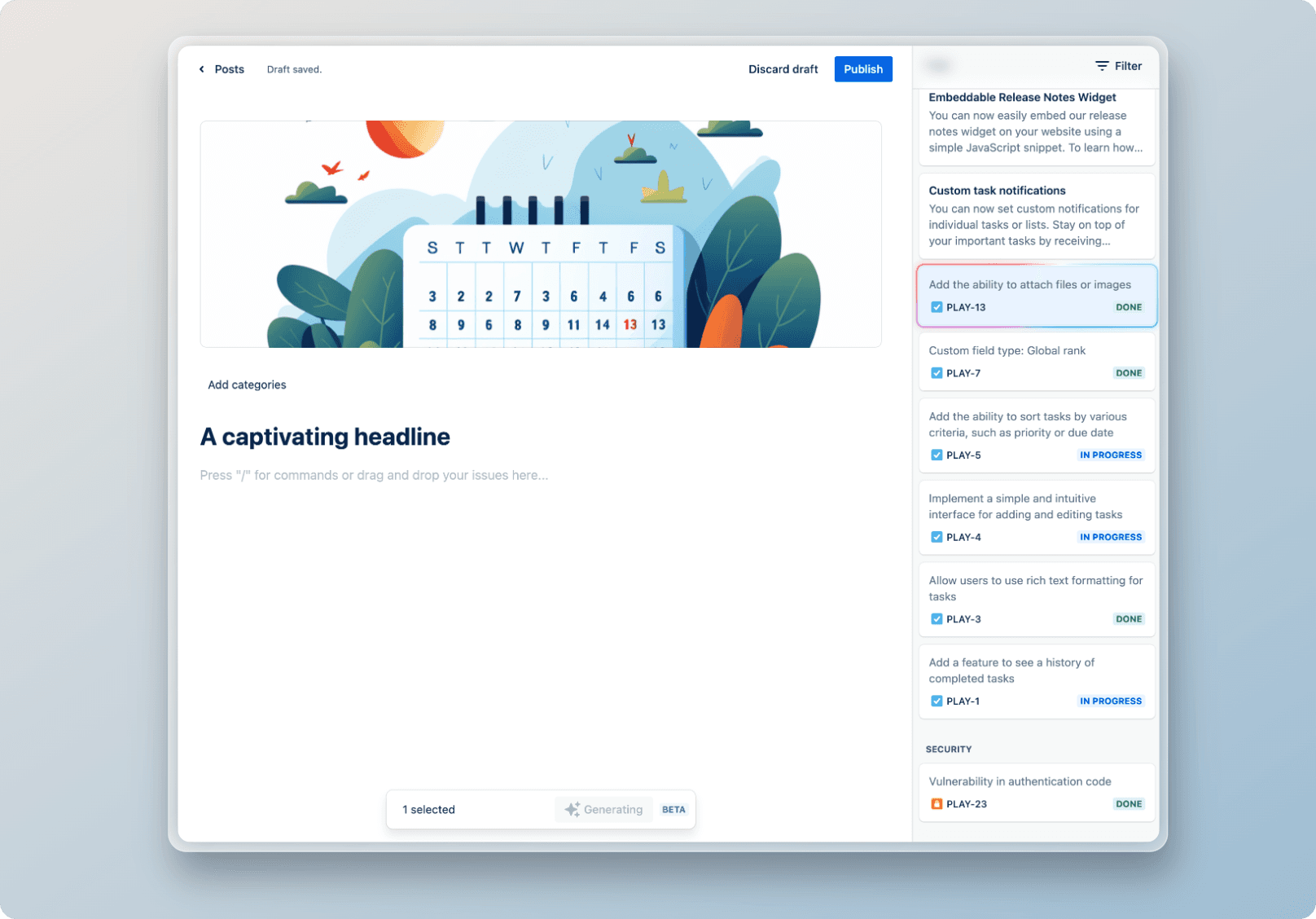
Why choose it: Released Hub is designed around the customer update, not only the Jira report. Select relevant Jira work items, use AI to turn internal descriptions into clearer customer-facing copy, then edit the headline, narrative, media, and individual changes before publication.
Drafting and review: Reusable release-note templates provide a consistent starting structure. Teams can configure example-based guidance, advanced AI instructions, and issue-specific prompts. AI output remains editable, which matters when a Jira ticket contains internal language or does not explain the customer benefit.
Publishing: Approved updates can appear in a Released Hub portal, a standalone announcement page, an embedded in-app widget, Confluence, or Slack. Readers can subscribe to changelog emails through the portal or widget. The same portal can also contain customer roadmaps and feedback.
Limits to consider: Released Hub requires Jira Cloud. It does not focus on PDF, Word, or PowerPoint exports, and it favours an editorial review before publication rather than unattended rule-based publishing. Licensing follows the active licensed users on the Jira site.
Best fit: Product teams that want release notes to close the loop with customers and already keep the underlying work in Jira or Jira Product Discovery.
Explore AI release notes in Released Hub or try Released Hub in Jira.
Automated Release Notes & Reports for Jira
Best for rule-based automation and many output formats
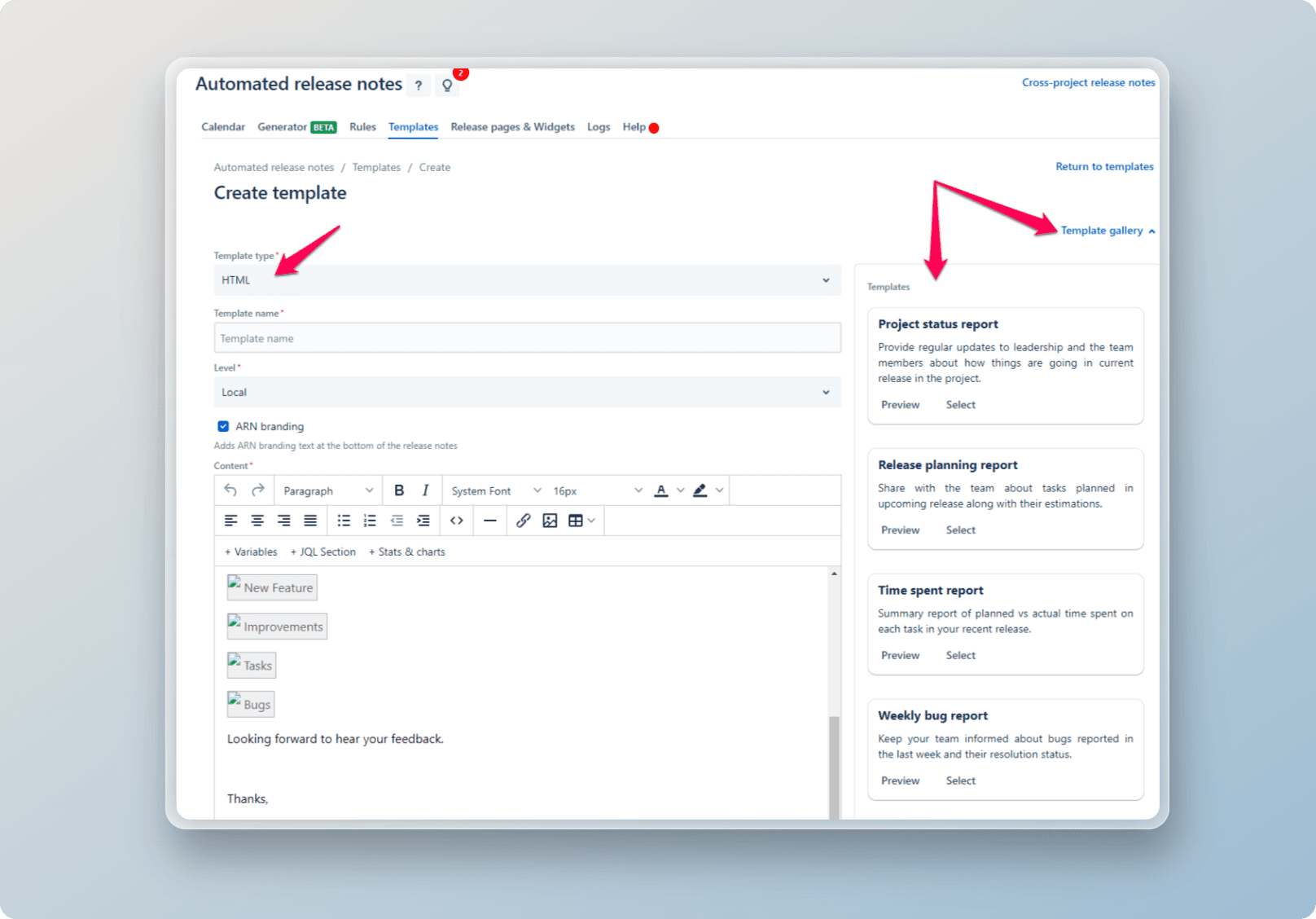
Why choose it: Automated Release Notes & Reports for Jira by Amoeboids is the most configurable option in this shortlist. Teams can build JQL-powered templates, group and style Jira fields, add charts, and use AI to refine content.
Drafting and review: Templates can draw from one or many projects and present issues in table, sequential, or grid layouts. AI can create or refine summaries, while custom prompts let teams adapt the output for different audiences.
Automation: Rules can run when a version is released, a sprint completes, a schedule is reached, a webhook fires, or a user starts the process manually. This makes the app suitable for repeated internal reports as well as release communication.
Publishing: The Marketplace listing includes email, PDF, HTML, Markdown, JSON, Word, PowerPoint, Confluence, Slack, Microsoft Teams, LinkedIn, Jira Service Management announcements, release pages, and widgets.
Limits to consider: The flexibility introduces more setup than a curated release-note editor. Teams need to configure templates, JQL, rules, and publishing destinations, and should decide whether the result is an internal report or a customer update before automating it.
Best fit: Release managers and larger teams that need scheduled Jira reports or release notes in several document and messaging formats.
Automated Release Notes by Agile Apps
Best for scheduled release-note emails and calendars
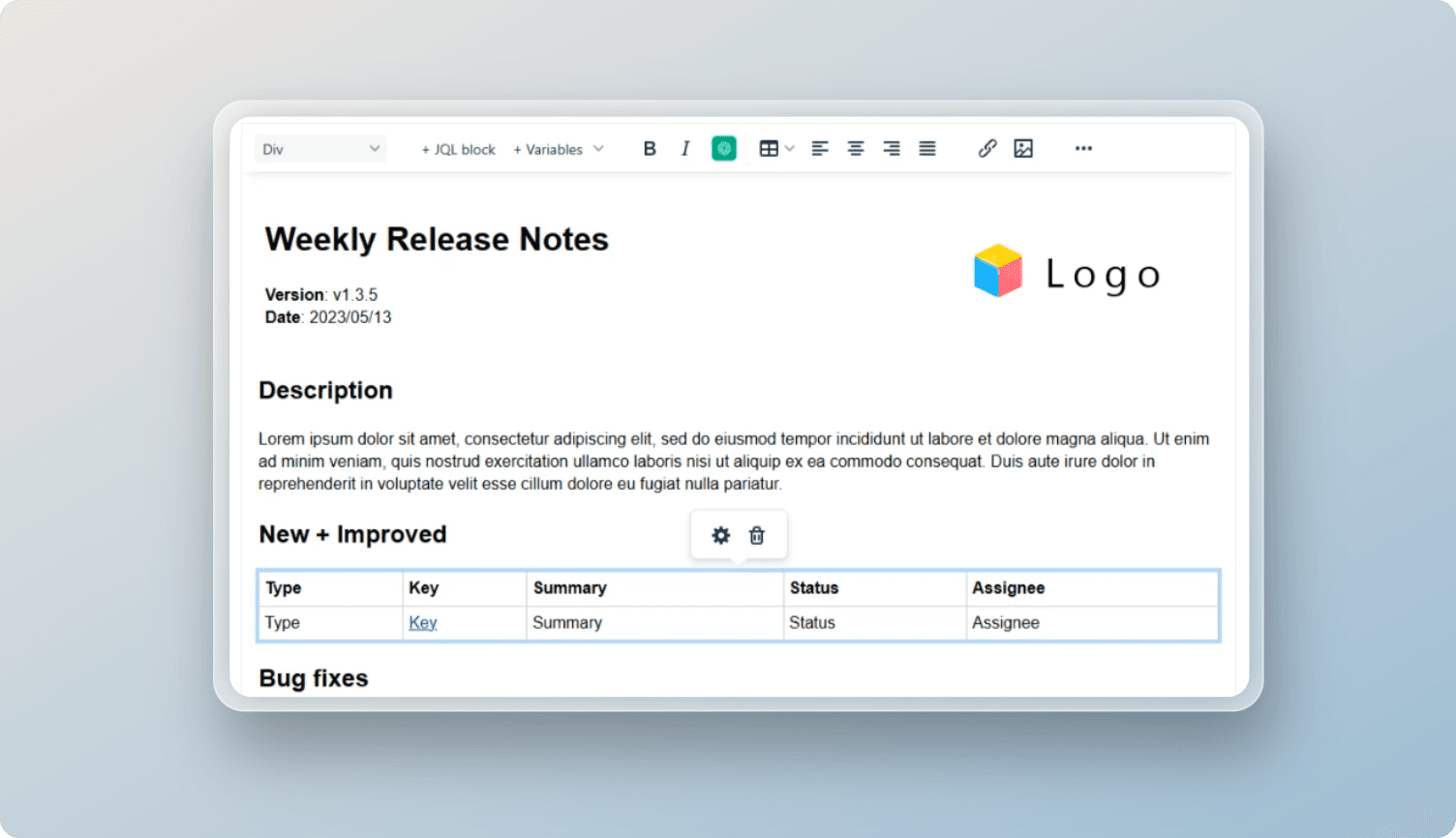
Why choose it: Automated Release Notes combines a WYSIWYG template builder, JQL blocks, dynamic fields, ChatGPT-assisted descriptions, and a release calendar.
Drafting and review: Teams create templates that include selected Jira fields and JQL results. The app can generate descriptions with ChatGPT, while the template controls the surrounding layout and recurring content.
Automation: Triggers include sprint completion, version release, daily or longer schedules, and manual runs. History logs allow teams to review and resend previous notes.
Publishing: The app connects to email, Slack, Microsoft Teams, Confluence pages or blog posts, and custom webhook endpoints.
Limits to consider: Its current Marketplace version is older than the other apps in this shortlist, so verify support, recent maintenance, and the exact AI configuration during evaluation. The workflow is oriented towards templated distribution rather than a branded customer communication portal.
Best fit: Teams that need recurring release emails and internal updates with a visual calendar of upcoming notes.
AI Release Notes by InLabs
Best for lightweight AI-generated notes
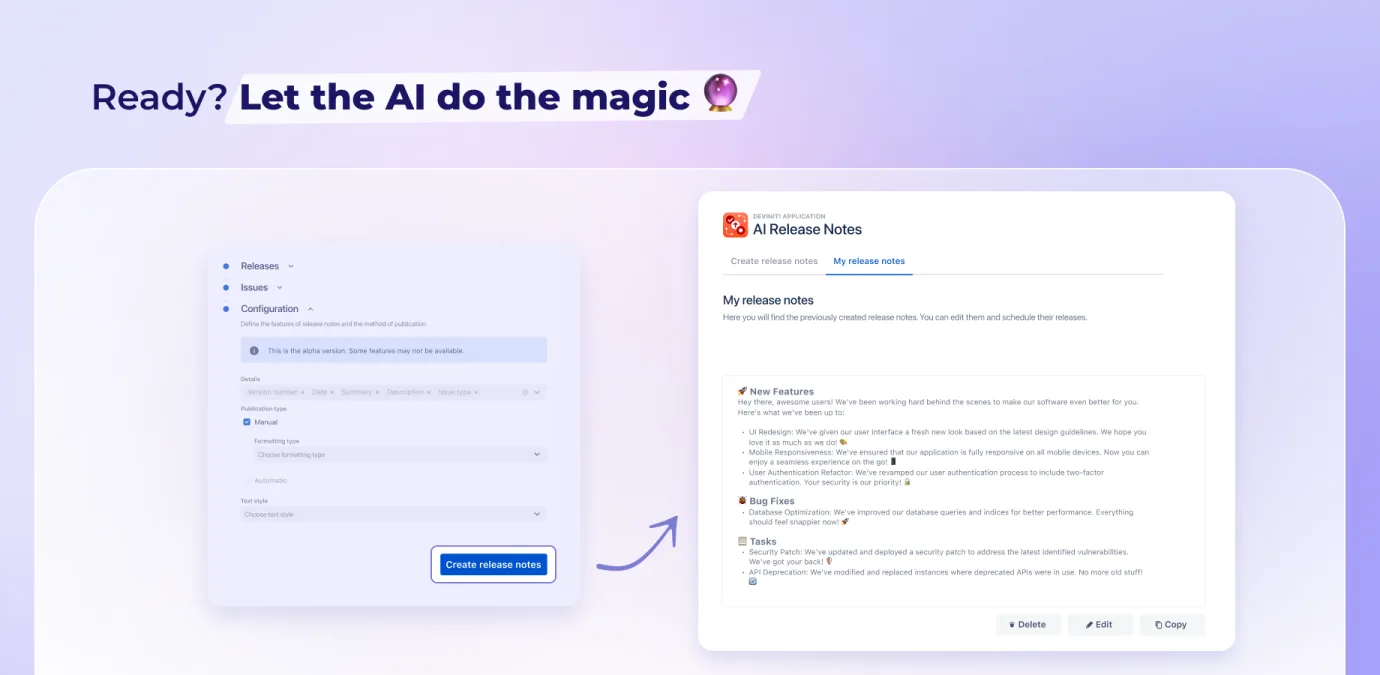
Why choose it: AI Release Notes is a free Jira Cloud app that turns project issues into release-note content and provides Markdown, HTML, and rich-text formats.
Drafting and review: The guided workflow focuses on selecting work, choosing the output, and generating a formatted note. Teams can adapt the content for channels such as Slack or LinkedIn after generation.
Publishing: Output is designed to be copied into the channel or publishing system the team already uses. It does not present the broader portal, widget, or multi-destination automation workflow offered by the larger products above.
Limits to consider: Distribution remains manual, and the Marketplace listing does not describe the reusable scheduling, reporting, or customer portal features offered by the other tools. Confirm its data handling and support model during evaluation.
Best fit: Small teams that want to test AI-assisted release-note generation without first configuring a complete publishing system.
Which Jira release notes app should you choose?
Choose Released Hub when the goal is to create a polished customer update, publish it where customers will see it, and connect release communication with feedback and roadmaps.
Choose Automated Release Notes & Reports for Jira when the priority is repeatable rules, detailed Jira data, and many export formats. Choose Automated Release Notes by Agile Apps for scheduled templates, messaging integrations, and a release calendar. Choose AI Release Notes by InLabs for a small, guided generator that produces content for manual distribution.
Whichever app you choose, keep a person in the final review. Jira work items explain what the delivery team changed. Effective release notes explain why the change matters to the reader.
Jira release notes apps: common questions
What is the best release notes app for Jira?
Can Jira generate release notes automatically?
Should release notes be published automatically?
What is the difference between a Jira report and a customer release note?
Sources
Updated 21 September 2026 using current Atlassian Marketplace listings and first-party product documentation. Released makes Released Hub. Marketplace installs, ratings, plans, and app capabilities can change; confirm the current listing before purchase.
Publish release notes your customers will read
Select shipped Jira work, turn it into a clear draft, and publish the approved update where customers will find it.