
Best changelog tools for product teams in 2026
Compare changelog tools for Jira automation, in-app announcements, customer feedback, widgets, and lightweight product updates.
On this page
Released Hub is the best changelog tool for teams that already manage product and delivery work in Jira. It turns Jira work items into editable release-note drafts and publishes approved updates through a branded portal, announcement page, in-app widget, Confluence, or Slack.
For other stacks, Beamer is a strong choice for targeted in-app announcements, AnnounceKit offers a broad set of widgets and communication features with per-project pricing, Featurebase combines changelogs with feedback and support, Headway keeps the workflow simple, and Frill connects announcements with ideas and roadmaps.
Changelog tools compared
Scroll horizontally to compare all columns.
| Tool | Best for | Drafting source | Customer surfaces | Feedback connection |
|---|---|---|---|---|
| Released Hub | Jira teams that want one release-communication workflow | Jira work items with AI-assisted descriptions | Portal, announcement page, widget, email, Confluence, and Slack | Feedback, wishlists, and roadmaps use the same Jira-connected hub |
| Beamer | Targeted in-app announcements | Posts written or generated in Beamer | Changelog, notification centre, banners, snippets, popups, and tooltips | Reactions, text feedback, and a feedback inbox |
| AnnounceKit | Teams that want many widget and notification options | Posts written or AI-assisted in AnnounceKit | Public changelog, multiple widget types, email, feeds, and boosters | Comments, reactions, feature requests, voting, roadmap, and NPS |
| Featurebase | An all-in-one customer-facing suite | Updates written in Featurebase or connected by integrations | Public updates and embedded experiences | Feedback boards, roadmap, surveys, and support in the same suite |
| Headway | A straightforward, low-cost changelog | Posts written in Headway | Public page and changelog widget | Changelog only |
| Frill | A combined ideas, roadmap, and announcement portal | Posts written in Frill | Portal, email, widget, and boosted announcements | Ideas, voting, and roadmaps share the same customer experience |
How we selected these tools
We compared products that publish a customer-facing history of product changes. The main criteria were:
- How updates are drafted and whether they can start from delivery work.
- Whether customers can read updates on a public page, inside the product, or by email.
- How targeting, subscriptions, reactions, and analytics support distribution.
- Whether feedback and roadmap workflows connect to the changelog.
- What drives the bill as the audience, team, or product portfolio grows.
The order reflects distinct use cases rather than a claim that every team should buy the first product.
Released Hub
Best for publishing changelogs from Jira
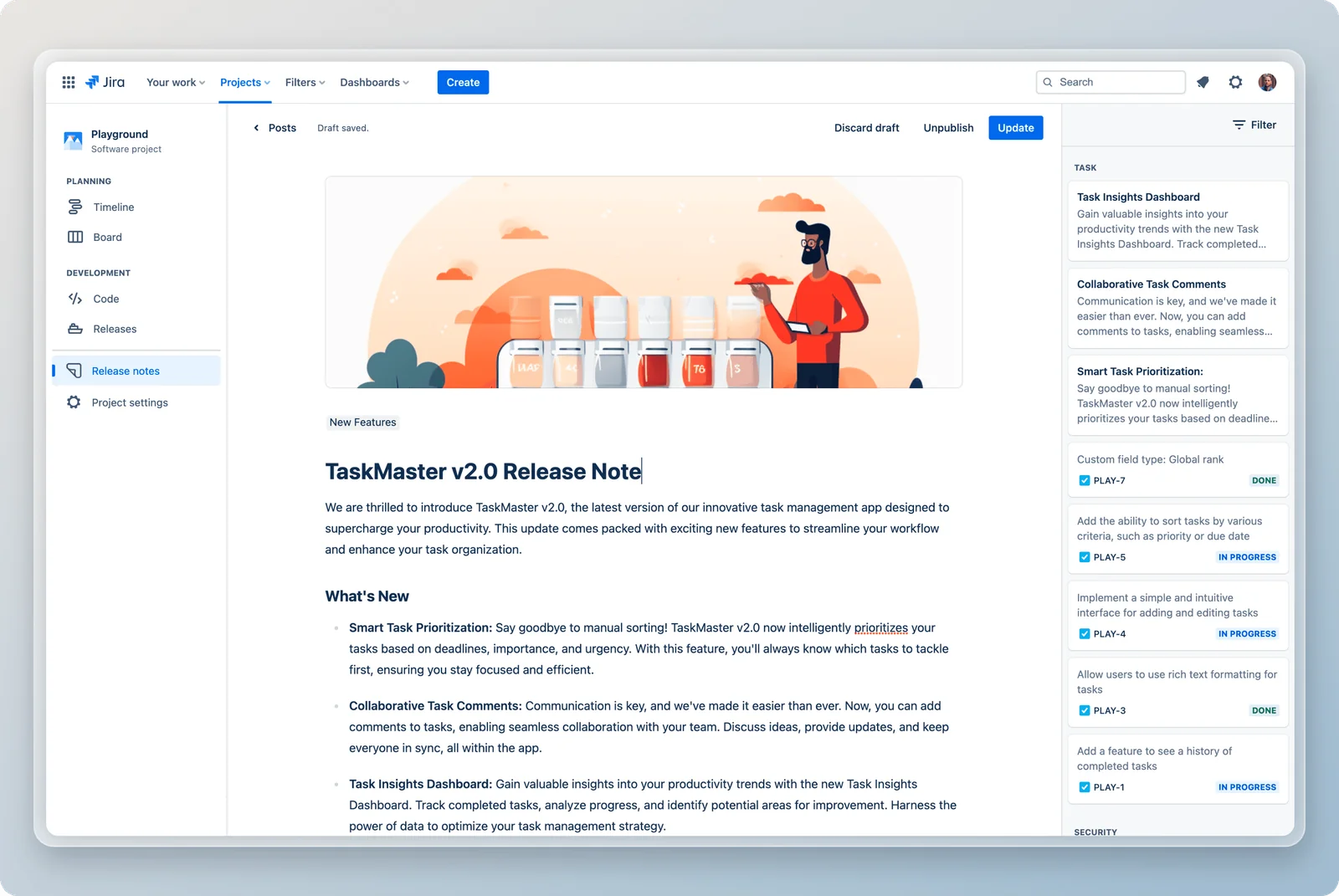
Why choose it: Released Hub keeps drafting close to the source material. Teams select Jira work items, use AI to generate clearer customer-facing descriptions, and edit the result before publishing. Reusable templates and configurable AI instructions make the structure and tone more consistent across releases.
Customer experience: Updates can appear in a branded portal, on a standalone announcement page, inside an embedded widget, in Confluence, or in Slack. Readers can subscribe to changelog emails through the portal or widget.
Connected workflow: The same Released Hub portal can contain customer-facing roadmaps and feedback. When a request ships, the product team already has the Jira context needed to explain the result and close the loop.
Limits to consider: Released Hub requires Jira Cloud and is designed around an editorial workflow. Teams that need unattended publishing, GitHub-native generation, or many document exports should consider a more automation-led product. Pricing is based on active licensed users on the Jira site.
Best fit: Jira and Jira Product Discovery teams that want customer feedback, roadmaps, and changelogs connected to the work they already maintain.
Explore Released Hub AI release notes or compare Released Hub and Featurebase.
Beamer
Best for targeted in-app announcements
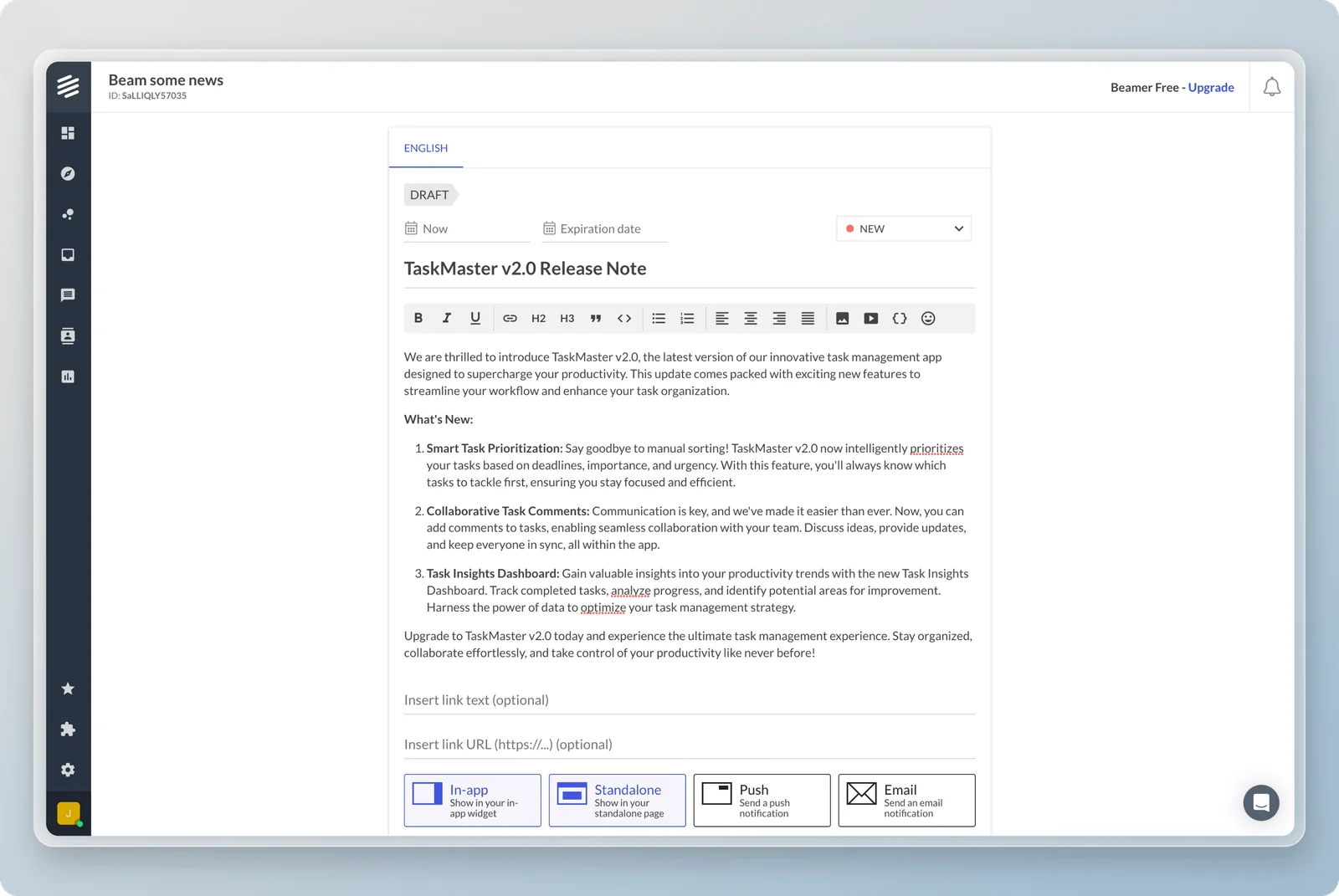
Why choose it: Beamer centres product announcements inside the application. Its notification centre and changelog can be combined with banners, snippets, popups, tooltips, and boosted announcements for launches that need more visibility.
Customer experience: Teams can customise the changelog widget to match their product and use targeting to present relevant updates to different audiences. Reactions and text feedback give readers a direct response path.
Connected workflow: Beamer offers APIs, webhooks, a WordPress plugin, social sharing, and a large integration catalogue. It is a separate communication system, so teams using Jira or another delivery product need to define how shipped work becomes a Beamer post.
Limits to consider: Advanced feedback, targeting, analytics, and notification capabilities can span different products or plan levels. Compare the complete configuration and audience size instead of only the starting changelog price.
Best fit: SaaS teams that prioritise in-app feature discovery, segmentation, and prominent product announcements.
AnnounceKit
Best for flexible widgets and predictable per-project pricing
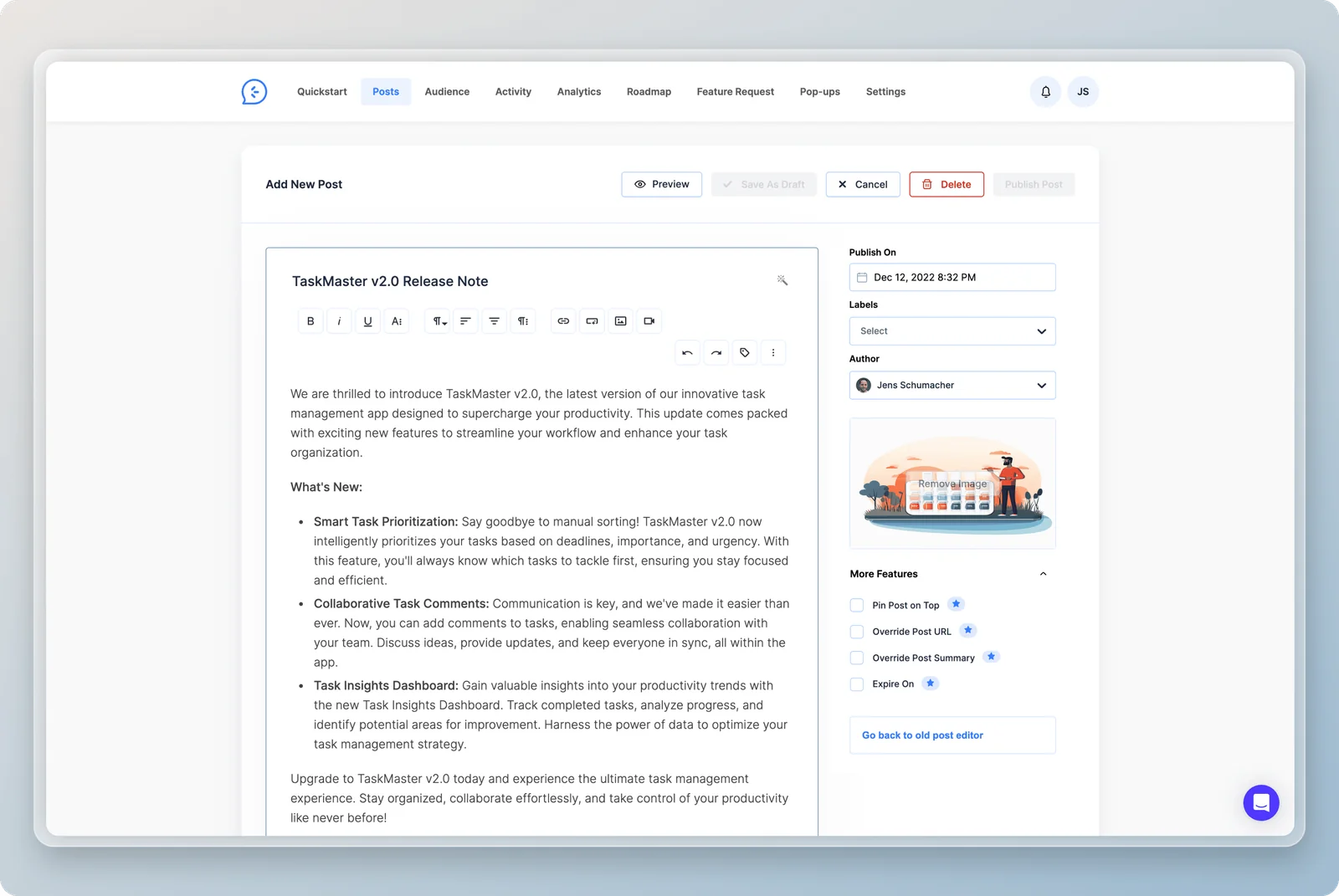
Why choose it: AnnounceKit combines a public changelog with a broad range of in-app widgets, email updates, feeds, and boosted announcements. Its editor includes AI assistance, while higher plans add segmentation, user tracking, advanced analytics, multi-language publishing, and more access controls.
Customer experience: Teams can choose from embedded feeds, sidebars, popups, modals, banners, and other widget treatments. Customers can react and comment on updates, and related modules cover feature requests, voting, roadmaps, and NPS.
Connected workflow: Slack, Zapier, APIs, webhooks, and higher-tier Jira integration can connect AnnounceKit to the rest of the stack. Product and delivery data still live outside the changelog, so the team owns the publishing workflow.
Limits to consider: AnnounceKit prices by project and plan. Advanced targeting, in-app notifications, multi-language support, custom CSS, and SSO sit above the entry plan, so compare the capabilities required for each product rather than assuming the base price covers the complete setup.
Best fit: Multi-product SaaS teams that want a wide choice of in-app communication patterns without pricing every internal collaborator separately.
Featurebase
Best for feedback, updates, and support in one suite

Why choose it: Featurebase combines feedback boards, public roadmaps, product updates, surveys, and customer support. That makes the changelog part of a larger customer-facing workspace rather than a separate publication.
Customer experience: Product updates can be published on the portal and embedded in web or mobile experiences. Customers can move between requests, roadmap progress, announcements, and support without switching products.
Connected workflow: The Jira integration can connect feedback and product work to delivery. Teams still need to decide which statuses, customer records, and public descriptions belong in Featurebase and which remain in Jira.
Limits to consider: The suite covers more than changelog publishing. Teams that already have established feedback and support tools may pay for overlapping capabilities or create another system boundary to administer.
Best fit: Teams that actively want to consolidate feedback, roadmaps, updates, surveys, and customer support in one external platform.
Read the detailed Released Hub and Featurebase comparison.
Headway
Best for a simple changelog page and widget
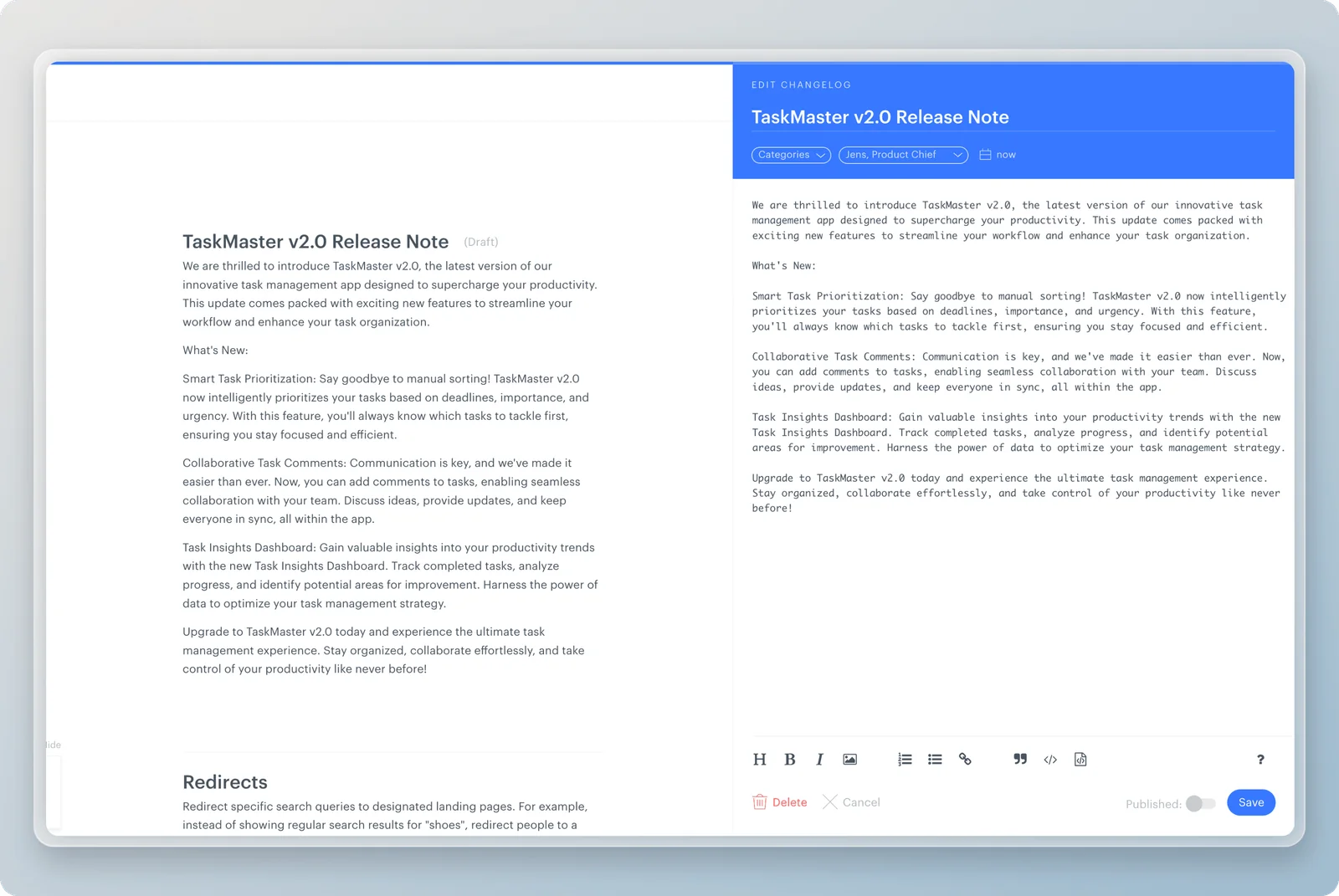
Why choose it: Headway focuses on the basics: write an update, publish it to a public changelog page, and show it through a customisable widget. Categories and an unread-update indicator help customers scan what changed.
Customer experience: The free plan includes unlimited changelogs, public-page and widget customisation, categories, and the update indicator. The Pro plan adds features such as a custom domain, white labelling, integrations, team management, private changelogs, and scheduled publishing.
Connected workflow: Headway does not try to become the product-planning or feedback system. That simplicity is useful, but the team must bring release information from Jira, GitHub, or another delivery tool into each post.
Limits to consider: Teams that need segmentation, detailed analytics, feedback workflows, roadmap connections, or AI-assisted drafting will outgrow the simple model.
Best fit: Small teams that want a clean, inexpensive public changelog and widget without adopting a larger communication suite.
Frill
Best for connecting ideas, roadmap progress, and announcements
Why choose it: Frill combines ideas, roadmaps, and announcements in one customer portal. Its changelog is designed to appear inside the product as well as on a public page, with email subscriptions and reactions helping updates reach customers.
Customer experience: Boosted announcements can appear as a popup through the widget for important launches. Routine updates remain in the feed, reducing the need to treat every release as an interruptive message.
Connected workflow: Feedback and voting sit beside the roadmap and announcement feed, which creates a clear path from request to planned work to shipped update. Jira remains a separate delivery system connected through the available integration and automation options.
Limits to consider: Frill is most valuable when the team wants its complete customer-feedback loop. If the only requirement is a changelog page, a lighter product may be easier to operate.
Best fit: Product teams that want customers to submit ideas, follow roadmap progress, and see announcements in one coherent portal.
Read the Frill product guide for its ideas, roadmap, and pricing, or the Released Hub and Frill comparison for the Jira-first tradeoff.
Which changelog tool should you choose?
Choose Released Hub when Jira is the source of truth and you want to generate, review, publish, and distribute customer updates without rebuilding the work in another product.
Choose Beamer for advanced in-app announcements and feature discovery. Choose AnnounceKit for a broad range of widgets and communication modules. Choose Featurebase to consolidate a larger customer-facing suite. Choose Headway for a simple page and widget. Choose Frill when ideas, roadmaps, and announcements should share one portal.
A useful changelog does more than archive release notes. It gives each audience a reliable place to understand what changed and a sensible way to follow the updates that matter to them.
Changelog tools: common questions
What is the best changelog tool?
What is the difference between a changelog and release notes?
Should a changelog be inside the product?
Can changelog tools generate updates from Jira?
Sources
Reviewed 19 September 2026 using first-party product and pricing pages. Released makes Released Hub. We compared published capabilities and did not conduct a new hands-on test of every product.
Publish release notes your customers will read
Select shipped Jira work, turn it into a clear draft, and publish the approved update where customers will find it.