
Plan your Jira roadmap by month or quarter with BetterBoard
Build a rolling Jira roadmap by month or quarter with BetterBoard. Compare team grouping, filters and date planning with Jira Plans’ Program board.
On this page
AI is helping teams ship faster. The product challenge is keeping that speed pointed at the right problems. Teams still need to align around priorities, adapt the plan as new evidence arrives, and share a clear view of what they’ve committed to.
That calls for planning you can keep revisiting as work ships and the team learns. You need to keep the next few months in view while adjusting priorities and commitments as new information arrives.
BetterBoard brings that ongoing planning into the Jira work your team already maintains. Use a rolling monthly or quarterly view to keep direction visible, then regroup, filter or highlight the work as priorities change.
Where Jira’s Program board fits
Jira’s Program board helps coordinate work across teams and iterations. Each team has a swimlane, and you schedule work into time-based columns using dates or associated sprints. Dependencies help you see how that work connects. It’s available in Jira Cloud Premium and Enterprise. Atlassian’s Program board overview
That structure suits programme increment planning. Product planning often calls for another perspective: upcoming quarters grouped by product area, a monthly review organised by priority, or commitments spread across discovery and engineering.
BetterBoard lets you choose the time horizon and the grouping independently.
BetterBoard vs Jira’s Program board at a glance
Both boards support team-based planning. BetterBoard gives you more choice over the planning horizon and how you group the work.
Scroll horizontally to compare all columns.
| Planning choice | Jira Plans Program board | BetterBoard |
|---|---|---|
| Time horizon | A defined window spanning 7–16 weeks | A rolling window of up to ten months or quarters |
| Swimlanes | Teams | Teams, priority, assignee or another supported grouping field |
| Scheduling | Dates or associated sprints | A selected date field for each space in date mode |
| Filtering | A limited set of built-in Program board filters | Combine field conditions, operators and relative dates directly on the board |
| Multiple boards | Up to 10 active Program boards per plan | Private and shared boards, with no hard board limit |
| Planning scope | Work included in the Jira plan | Jira Software, Jira Product Discovery and Jira Service Management |
A rolling roadmap by month or quarter
Choose monthly or quarterly columns, then decide how many periods to show before and after the current one. BetterBoard supports up to ten periods, giving you room for a few upcoming months or a longer view across quarters. Date column settings
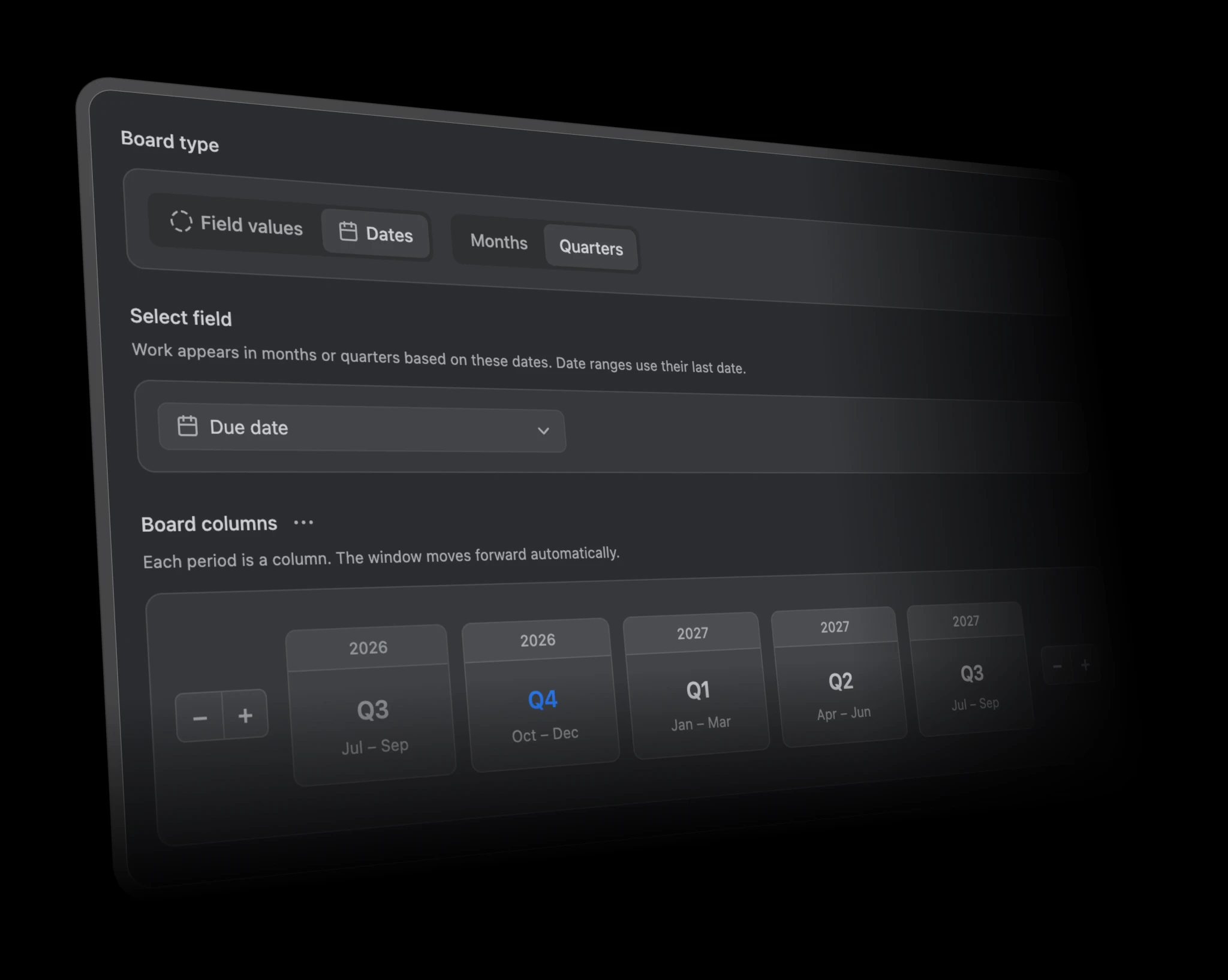
The window advances automatically. A view showing last month, this month and the next two months keeps that same shape when a new month begins.
Jira’s Program board uses a chosen start date and a planning window spanning 7–16 weeks. BetterBoard’s rolling periods are a better fit when you want an ongoing product roadmap that stays useful between planning sessions. How Jira defines its Program board window
Choose what each row means
A team-based view helps when you’re discussing who will deliver the work. BetterBoard supports that too: choose the Team field to give each team its own swimlane.
You can also group by priority, assignee, work type, labels or supported select custom fields. Choose one grouping at a time and pair it with your monthly or quarterly columns. Supported grouping fields
For example, you could build a quarterly roadmap with a Product area custom field as its swimlanes. Your product review gets a row for each area, even where several teams contribute. A separate monthly view grouped by priority helps you discuss which urgent items are competing for attention.
Both views use the same Jira work. You change the perspective without maintaining a second backlog.
Focus the plan on the work that matters
Jira’s Program board offers built-in filters such as space, parent work item and work type. BetterBoard gives you more flexibility to combine conditions directly on your planning board.
For example, you could show work in the Platform product area, with High priority, due within the next 30 days. Combine supported custom fields with date, text and number conditions, then save the result as a planning view.
That gives you a focused view for a particular discussion, while keeping the same underlying Jira work. BetterBoard filtering
You can also use the same field conditions to colour cards. Highlight high-priority work that’s overdue, for example, while keeping the rest of the plan visible. That makes work needing attention easier to spot during a planning review. Card colour rules
Plan across discovery and delivery
A product plan can include ideas in Jira Product Discovery and delivery work in an engineering space. BetterBoard’s multi-space boards bring that work into one view.
With date planning, each space can use its own date field. Engineering might use Due date, while discovery ideas use a Target date field. You can keep those conventions and see the work in the same planning periods.
Jira Product Discovery date ranges are supported too. An idea targeted at an entire quarter appears in the period containing the range’s final date. On a monthly board, that means the quarter’s final month. It appears once: the range expresses uncertainty about a date, rather than how long the work takes. How BetterBoard handles date ranges
When priorities change, drag a card into another period to update a supported editable date field in Jira. A regular date becomes the destination period’s last day; a full-month or full-quarter JPD range becomes the destination period’s range. Jira edit permissions still apply. How date moves work
Keep unscheduled work within reach
Two optional columns help you find work that needs a planning decision.
No date contains work without a value in the selected date field. Outside window contains dated work beyond the periods you’re showing. You can distinguish work that needs scheduling from work already planned for another time.
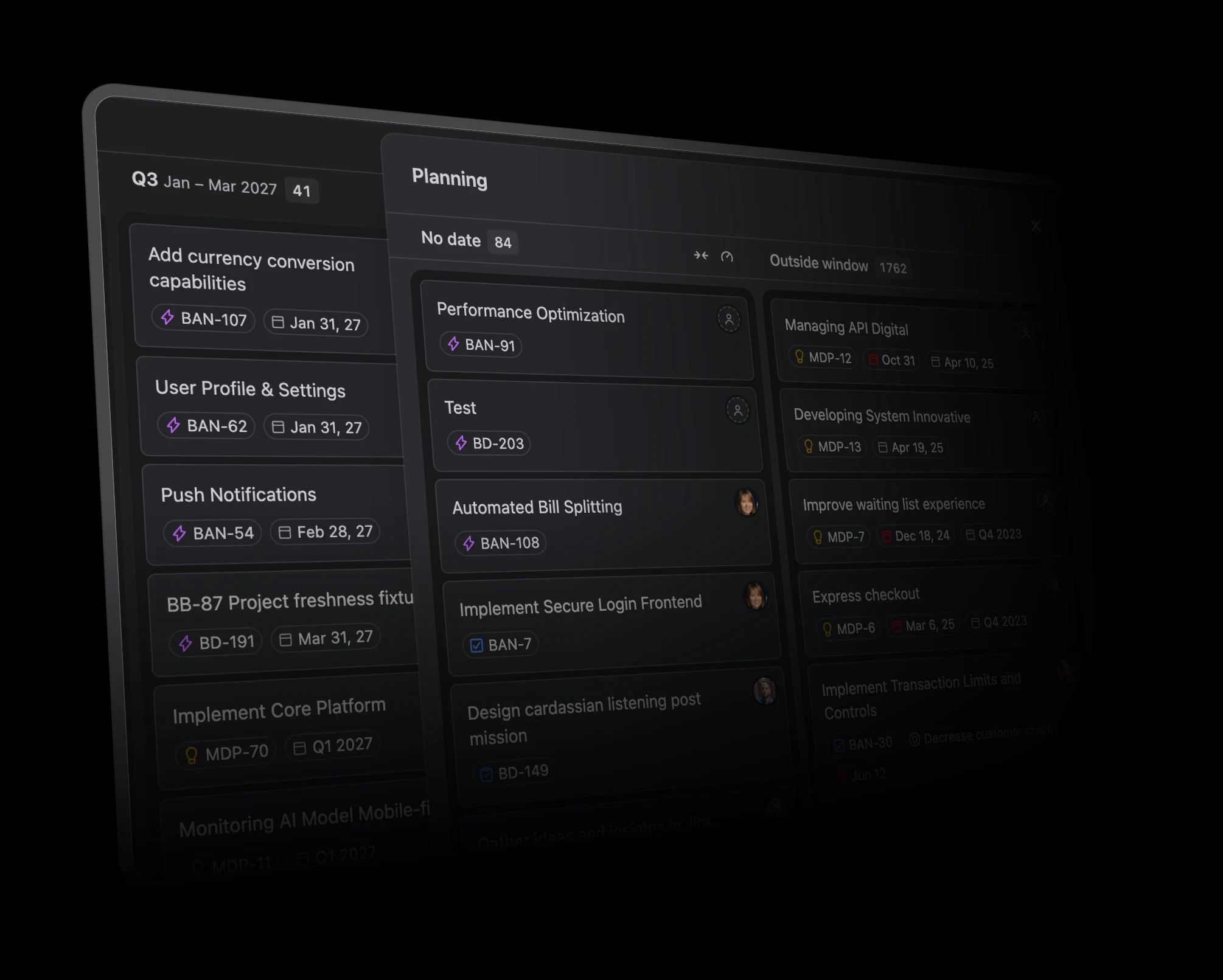
You can also create work directly in a period, with its date defaulted to that period where the field supports it. Scheduling and creating work
See when too much work is underway
A clear roadmap can still contain an unrealistic amount of work. WIP limits give you a way to flag that.
Set a limit for matching work, such as a person’s items in progress. When the count exceeds the limit, BetterBoard shows a warning. Select the rule to highlight the cards contributing to it.
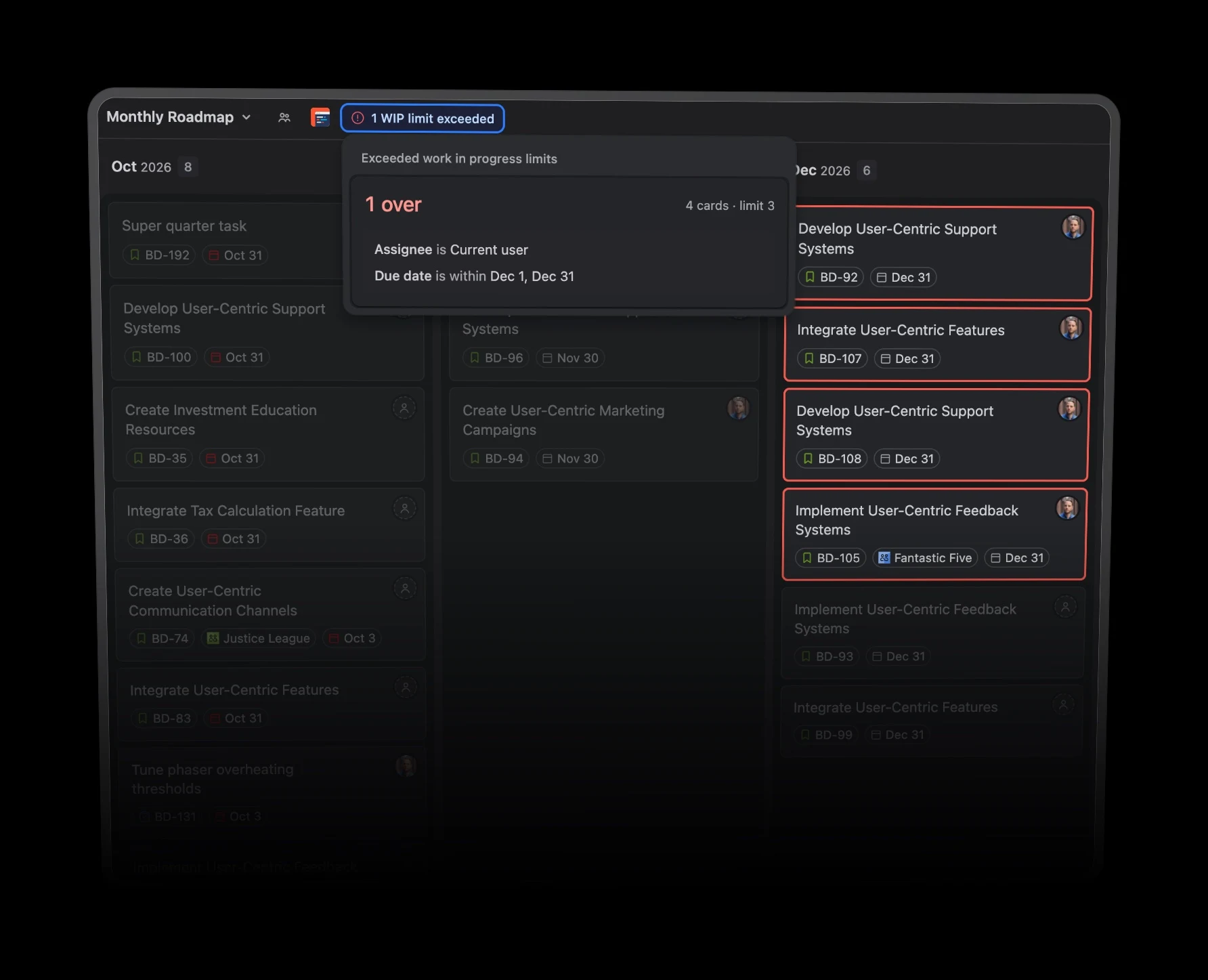
These are card-count warnings that help start a conversation about workload. They don’t estimate capacity or prevent someone from moving a card. Counts reflect the work included in the view. How BetterBoard WIP limits work
Give the shared plan an owner
Space administrators can choose who manages shared views: everyone in the space, administrators only, or administrators and selected people.
That lets you keep a shared planning configuration consistent while colleagues save their own private variations. These settings govern the view’s configuration; Jira permissions still determine who can see and edit the underlying work. Shared-view permissions
You can also share a saved view by copying its browser URL. Recipients with access land on that view directly. Sharing saved views
Build a monthly or quarterly Jira roadmap
If your planning revolves around team iterations and dependency coordination, Jira’s Program board is worth using. If you want a rolling product plan with more choice over grouping, date fields and saved perspectives, BetterBoard is the better fit.
To set it up:
- Open Display, select Columns and choose Dates.
- Pick Months or Quarters.
- Choose the date field for each space.
- Adjust the visible periods.
- Save your view.
BetterBoard is a separate Marketplace app, with every feature included and a free tier for Jira sites with up to ten users. BetterBoard pricing