
What to show on a public Jira roadmap
Choose the items, descriptions, columns and fields that help customers and stakeholders understand your Jira roadmap.
On this page
A public Jira roadmap should help its audience understand what you are considering, why it matters and how plans are progressing. Start with those questions, then choose the items, descriptions and fields that answer them.
Customers, leadership and delivery teams can work from the same underlying Jira information while needing different explanations. A view they can return to gives them somewhere to check progress before asking you for another update. This guide helps you choose what to communicate. When you are ready to configure that view, follow how to publish a public roadmap with Jira.
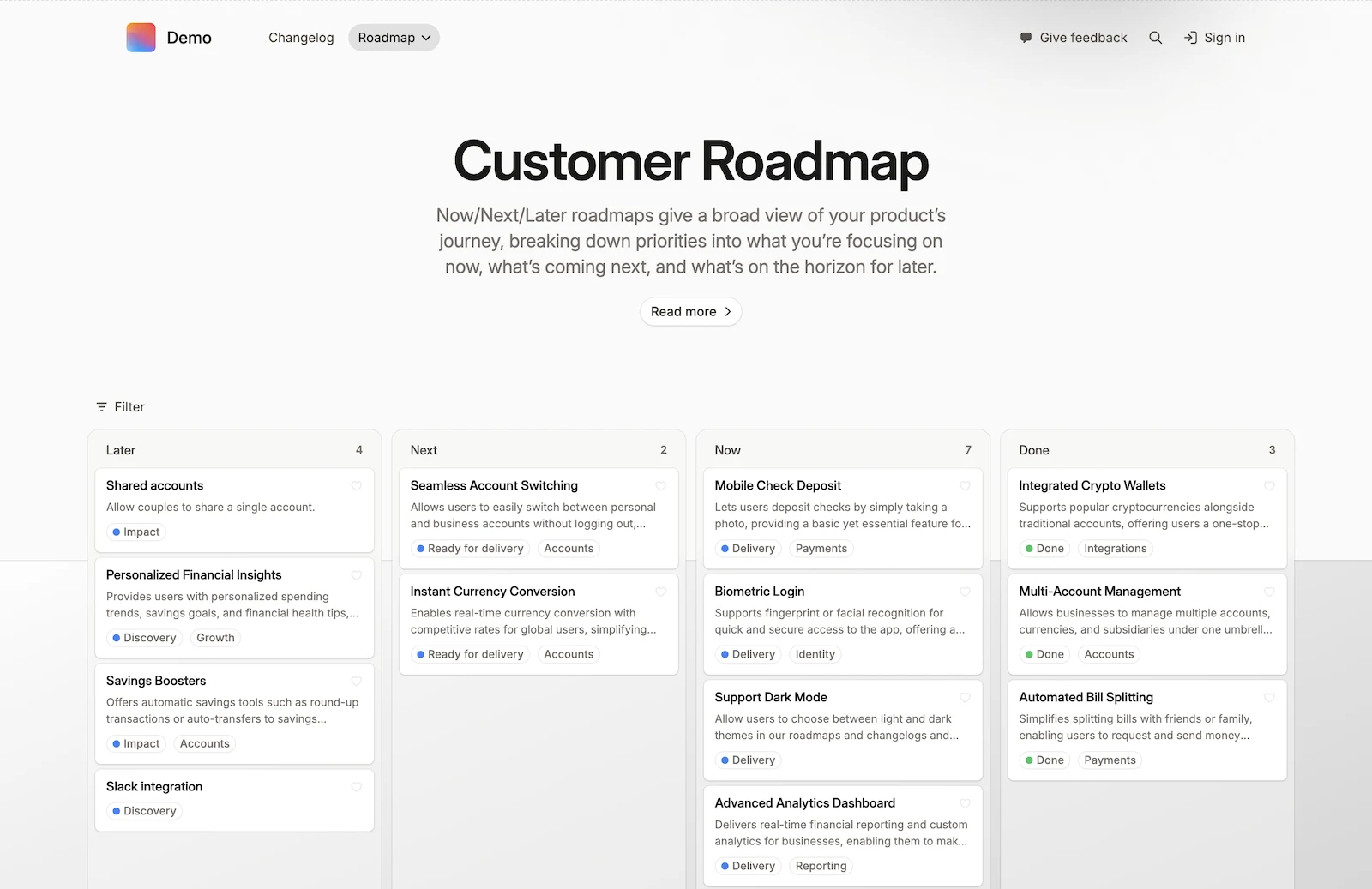
Start with the reader’s question
Before choosing a layout, write down the question the roadmap should answer. A customer asking “Will this solve our reporting problem?” needs different detail from a manager asking “Which team can deliver it this quarter?”
Scroll horizontally to compare the audiences.
| Audience | Main question | Useful content | Detail to reconsider |
|---|---|---|---|
| Customers and prospects | What might improve for us? | User outcomes, product area, planning stage and a way to ask questions | Internal task names, individual assignments and uncommitted dates |
| Leadership and internal stakeholders | Why is this a priority? | Goals, tradeoffs, broad timing and progress | Every delivery subtask and implementation discussion |
| Delivery teams | What needs to happen next? | Ownership, dependencies and the underlying Jira work | A public summary as the only source of delivery detail |
These are starting points, not fixed templates. A partner reviewing an integration may need more detail than a customer browsing upcoming improvements.
Choose a useful set of items
A roadmap becomes hard to read when every task has equal weight. Group the work around changes the audience can recognise, and leave implementation detail in Jira when it does not help explain the outcome.
For example, a team might have several tickets for background processing, retries and email delivery. A customer-facing item could explain the planned reporting experience, with links to the internal work kept for the team. The customer does not need to understand the architecture to understand the benefit.
If an outcome spans several teams, bring those pieces together in the story you tell. Customers should be able to understand the improvement without knowing which Jira project each part belongs to.
Review the selection when new work is added or priorities change. An item can belong in your plan without being ready to discuss publicly.
The publishing walkthrough covers selecting projects and filtering the work.
Write titles and descriptions around outcomes
An internal issue title often names the change the team will make. A public title should help the reader understand what that change is meant to achieve.
Scroll horizontally to compare the wording.
| Internal wording | Possible customer wording | What to explain |
|---|---|---|
| Add role-based export permissions | Control who can export reports | Which roles need the control and which exports it will affect |
| Consolidate notification settings | Manage notifications in one place | What readers will be able to configure |
| Investigate slow dashboard queries | Improve dashboard loading | That the work is still being investigated, with no confirmed delivery date |
These are illustrative rewrites, not shipped feature claims. The public description should reflect what your team actually knows. Explain the problem, the proposed direction and any uncertainty that would affect a customer’s expectations.
Add an image or short video when it explains the proposed experience more clearly than text alone. Keep it relevant to the customer’s question and clear about what is still planned.
Make the columns mean something
Choose a structure that matches the conversation. A now, next, later view can communicate relative priorities; a date-based view is useful when timing is sufficiently understood and matters to the audience.
Define what each column means. For example, “Now” might mean work in progress, “Next” a priority under preparation, and “Later” an area still being explored. Use wording that reflects your process and explain that priorities can change.
Avoid making a broad planning stage look like a deadline. If a customer needs a delivery commitment, discuss that explicitly rather than letting them infer it from a column.
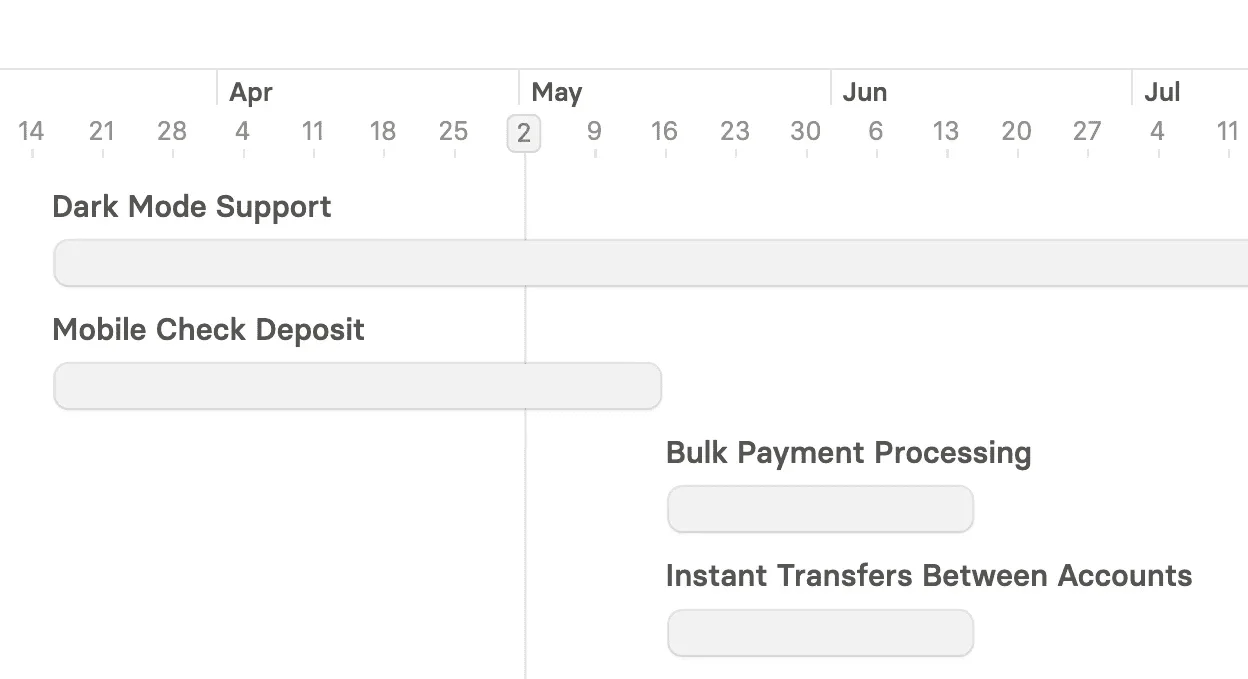
Once you have defined the stages, use the walkthrough to map Jira fields to the roadmap columns.
Show fields that help the reader
Every visible field should answer a useful question. Product area can help customers find relevant work. A target period can support a planning discussion. Internal assignments and delivery estimates may add little to a public view.
A compact card should help people scan the plan; the opened item can explain the problem and proposed direction in more detail. Decide what belongs in each, then configure the card and detail fields in the publishing walkthrough.
For the internal work behind the roadmap, BetterBoard provides a configurable Jira board. Keep the delivery workflow useful to the team while shaping the public view for its readers.
Review the story when plans change
A useful roadmap explains today’s priorities. When an item moves, ask whether its title, description and timing still tell the right story. Customers may need an explanation of the change, not just a card in another column.
Explain which problem took precedence and what the change means for readers. Keep the roadmap’s wording honest about what the team knows now, rather than leaving an earlier expectation in place after the plan has changed.
When that message is ready, follow the walkthrough to review and re-publish the update.
For a portal, a published JPD view or a one-off image export, compare the roadmap sharing methods. If you need a native JPD view, follow the Jira Product Discovery publishing guide; if you are evaluating a customer portal, explore Released Hub roadmaps.